Mastering the Professional Racing Simulator
You’re looking to get serious about sim racing, not just dabble. That’s a great goal, and you’re in the right place. Mastering a professional racing simulator isn…
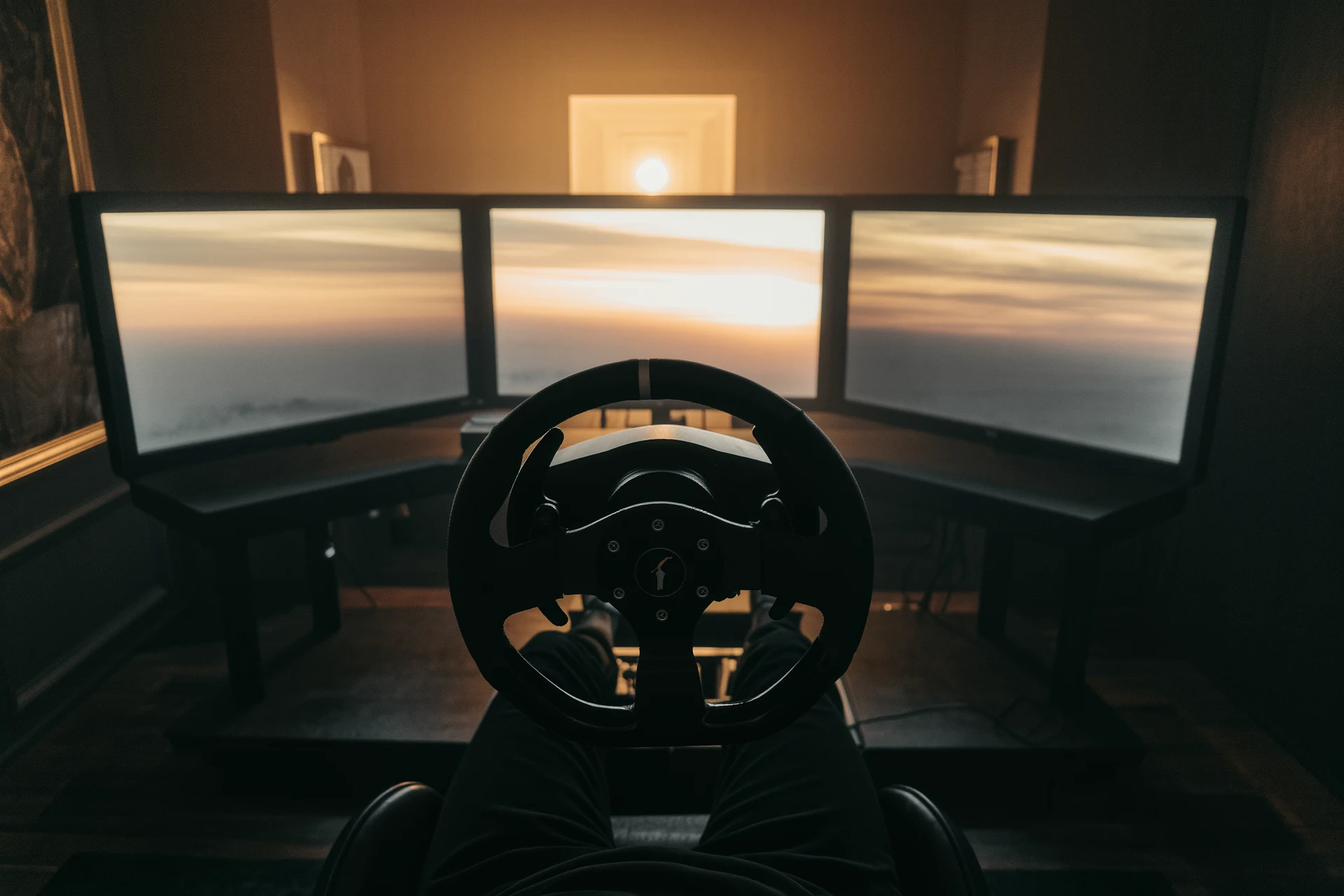
You’re looking to get serious about sim racing, not just dabble. That’s a great goal, and you’re in the right place. Mastering a professional racing simulator isn’t about simply buying the most expensive gear; it’s a blend of understanding the physics, honing your technique, and putting in consistent, smart practice. Think of it less as a game and more as a highly accessible, albeit virtual, form of motorsport. The core idea is to replicate real-world driving as accurately as possible, and your journey to mastery will involve learning to extract that performance.
Let’s clear up a common misconception: you don’t need to break the bank to start, but to truly master a professional simulator, certain hardware upgrades move from “nice to have” to “essential.” We’re aiming for consistency, precision, and immersion here.
Wheels and Pedals: Your Primary Interface
This is where the rubber meets the virtual road. Don’t skimp here.
Direct Drive Wheels
If you’re serious, a direct drive wheel is almost non-negotiable. Unlike belt or gear-driven wheels, direct drive units connect the motor directly to the wheel shaft, offering unparalleled force feedback (FFB) fidelity. This means you feel every bump, every bit of tire slip, and every nuance of the car’s behavior with remarkable accuracy. It’s a game-changer for understanding car dynamics and reacting proactively. You need to feel what the car is doing before it gets out of shape. Look for models with at least 8-10 Nm of torque for a good starting point, though some go much higher. Be prepared for a significant cost here, but the return in performance and immersion is worth it for serious racers.
Load Cell Pedals
Another non-negotiable if you’re aiming for consistency and speed. Standard potentiometer-based pedals measure pedal travel, which is inconsistent and hard to modulate precisely under pressure. Load cell pedals, on the other hand, measure the pressure you apply. This allows for much finer control, especially under braking. You’ll learn to modulate brake pressure based on feel, just like a real driver, rather than guessing at pedal position. This translates directly to shorter braking zones and less lock-up. Aim for pedals with at least 100-200kg of load cell capacity for serious use; many professional models offer more.
Cockpit and Mounting: Stability is Key
Wobbly gear is distracting and detrimental to consistency.
Sturdy Cockpit or Wheel Stand
You need a solid foundation. A dedicated cockpit or a robust wheel stand is essential to prevent flex and movement during intense racing. When your force feedback wheel is cranking out 10-20Nm of torque, you don’t want your desk or cheap stand wobbling around. Cockpits offer the best rigidity and ergonomics, often allowing for adjustable seating positions and integrated monitor mounts. If space is an issue, a high-quality wheel stand can still provide sufficient stability, but ensure it’s heavy and well-braced.
Monitor Mounting and FOV
Your field of view (FOV) is critical for spatial awareness and judging distances. Ideally, you want your monitor(s) as close to your virtual steering wheel as possible, replicating the view from a real car. A proper monitor stand, often integrated into a cockpit, allows for this precise positioning. We’ll delve deeper into FOV settings in a later section, but for now, understand that mounting options need to accommodate this goal.
Optional (But Recommended) Immersion Enhancers
These aren’t strictly necessary for mastery but significantly enhance the learning experience and enjoyment.
Triple Monitors or Ultrawide
Expanding your peripheral vision is a massive advantage. Triple monitors provide a truly immersive experience, allowing you to see apexes, anticipate overtakes, and react to cars alongside you much more naturally. An ultrawide monitor can offer a good compromise if triples are too much, providing a wider field of view than a single standard display.
Haptic Feedback Systems
Buttkickers, bass shakers, or more advanced haptic platforms can add another layer of sensory information. These devices translate in-game telemetry (engine vibrations, road effects, gear shifts, impacts) into physical feedback you feel through your seat or pedals. While not strictly essential for speed, they enrich the experience and can even provide subtle cues about tire slip or engine RPM.
Software Setup and Optimization
Hardware is only half the battle. Your software setup dictates how effectively you can translate your inputs into in-game performance.
Choosing Your Simulator Platform
There’s no single “best” sim, but some are undoubtedly more geared towards professionalism.
iRacing: The Gold Standard for Competition
iRacing is widely considered the most accurate physics simulation among consumer-level titles, especially for competitive racing. Its laser-scanned tracks and cars, advanced tire model, and sophisticated force feedback offer an unparalleled level of realism. The subscription model and content costs can be higher, but you’re paying for a mature, well-supported platform with a dedicated competitive ladder and consistent updates. The community and racing etiquette are generally excellent, enforced by a robust sporting code.
Assetto Corsa Competizione (ACC): GT3 Specialist
ACC focuses exclusively on GT3 and GT4 racing, delivering outstanding physics and force feedback specifically for these car types. The Kunos Simulazioni team has meticulously modeled everything from aero wash to tire flex. If your passion lies solely in grand touring endurance, ACC is an incredible simulator. Its physics engine and graphical fidelity are top-tier.
rFactor 2: Modding Powerhouse
rFactor 2 boasts an incredibly powerful physics engine and a vast array of community-created content. While its user interface can be less polished than iRacing or ACC, its core driving experience is superb, especially with high-quality third-party mods. It’s a great platform for exploring a wider variety of car types and tracks, often at a lower cost than iRacing.
Calibrating Your Controls
This is crucial for precise input.
Wheel Calibration
Follow the manufacturer’s instructions for calibrating your direct drive wheel. Ensure the software detects the correct rotation angle (often 900-1080 degrees for road cars, less for open-wheelers). Don’t ignore the in-game calibration steps, as these fine-tune the wheel’s response within the sim itself.
Pedal Calibration
Especially important for load cell pedals. You need to set the minimum and maximum pressure points. For braking, press hard enough to simulate emergency braking in a real car. For the accelerator, ensure full throttle is registered. Many sims also allow you to set non-linear curves for pedals, which can be useful for fine-tuning throttle application or softer brake zones if you prefer.
Force Feedback (FFB) Settings
FFB is your communication line to the car. Don’t just copy someone else’s settings; understand what each parameter does.
Gain and Strength
This controls the overall intensity of the force feedback. Too high, and clipping (loss of detail at peak forces) occurs; too low, and you lose crucial information. Aim for a setting where you feel comfortable resistance but don’t feel the wheel bottoming out or suddenly becoming unresponsive.
Damping and Effects
Damping smooths out sudden harsh forces but can also mask fine details. Experiment to find a balance. Road effects, kerb effects, and rumble strips add immersion but can sometimes become distracting if set too high. Prioritize core physics feedback over gimmicky effects. The goal is information, not just sensation.
Field of View (FOV) Configuration
This single setting can transform your driving accuracy.
Correct FOV Calculation
There are online calculators (search “sim racing FOV calculator”) that take your monitor size, distance from your eyes, and aspect ratio to give you a precisely correct FOV. A common mistake is using too wide of an FOV, which distorts distances and makes turns harder to judge. A correct FOV makes the virtual world appear at a 1:1 scale, greatly aiding depth perception and apex hitting. It might feel “zoomed in” at first, but stick with it; it’s how real drivers perceive the track.
Single vs. Triple Monitor FOV
With triple monitors, FOV calculators will provide an even wider horizontal view, allowing you to naturally look through turns and anticipate cars in your periphery. For a single monitor, the correct FOV will often feel quite narrow, but it’s crucial for accurate driving.
Driving Technique and Practice
Having great gear and software is useless without solid driving technique. This is where the real work begins.
Understanding Car Dynamics
You’re not just moving a digital car; you’re interacting with a complex physics model.
Weight Transfer
Every input shifts the car’s weight. Braking transfers weight forward (improving front grip, reducing rear grip); accelerating transfers it backward; turning transfers it to the outside wheels. Mastering weight transfer is fundamental to maximizing grip and stability. Think about how your inputs affect tire load.
Tire Model and Slip Angle
Tires are the most complex part of the physics. They generate peak grip at a certain “slip angle”, the difference between the direction the wheel is pointing and the direction the car is actually moving. Too little slip, and you’re not using all the grip; too much, and you’re sliding. Your FFB should communicate these subtle slip angles. Learn to feel the tires working.
Aerodynamics
For open-wheelers and high-downforce GT cars, aerodynamics play a huge role. Downforce increases with speed, meaning the car will have more grip in fast corners than slow ones. Understanding how aero affects braking and cornering is vital for maximizing performance in these vehicles.
The Driving Line: Not Always Simplistic
The “fastest line” isn’t always the shortest geometric path.
Apex Strategy
The traditional “late apex” for slow corners and “early apex” for fast corners is a good starting point, but every corner is unique. Your goal is to maximize the radius of the corner and carry as much speed as possible through and out of the corner, setting you up for the next straight.
Track Limits
Pushing track limits is essential for speed, but too much risks penalties. Learn the exact limits of each track, often defined by painted lines, not just kerbs. Most professional sims are strict about track limits.
Braking Techniques
This is arguably the most critical skill to master.
Trail Braking
Instead of braking hard in a straight line and then releasing, trail braking involves gradually releasing the brake pressure as you turn into the corner. This keeps weight on the front tires, maintaining grip for steering, and helps rotate the car. It’s an advanced technique but essential for shaving tenths.
Threshold Braking
The goal is to brake as hard as possible without locking the wheels (or activating ABS excessively if the car has it). This is where load cell pedals shine; you learn to feel the absolute limit of tire grip under braking. Consistent threshold braking is a massive time-saver.
Throttle Application
Smoothness and precision are key.
Progressive Throttle
Don’t just mash the accelerator. As you exit a corner and unwind the steering, progressively apply throttle. Listen to the engine, feel the car’s stability, and manage wheelspin. Modern cars are very powerful, and sudden throttle inputs will break traction.
Throttle Steering
In some cars, especially without traction control, judicious use of the throttle can help steer the car through a corner. A slight lift can tuck the nose in, and careful application can induce a small amount of oversteer to help rotate.
Data Analysis and Continuous Improvement
This is where sim racing truly mirrors professional motorsport. You can’t improve what you don’t measure.
Telemetry: Your Performance Report
Most professional sims offer robust telemetry logging and analysis tools. Don’t ignore them.
Lap Timing and Sector Times
Beyond just your overall lap time, analyze your sector times. Where are you gaining time? Where are you losing it? This helps pinpoint specific areas for improvement.
Input Traces (Steering, Brake, Throttle)
Overlay your inputs with a faster driver’s (ghost car or replays from top drivers). Are you braking earlier or later? How smooth are your steering inputs? Are you on the throttle sooner or later? This direct comparison is incredibly insightful. Look for consistency in your inputs across laps.
Speed Trace and G-Forces
Examine your speed trace throughout the lap. Are you carrying enough speed into corners? Are you accelerating efficiently out of them? G-force plots can reveal how smoothly you’re transitioning between braking, cornering, and acceleration.
Video Analysis
Watching your own replays is a powerful learning tool.
Overhead View
Use an overhead camera to analyze your driving line. Is it consistent? Are you hitting your apexes? Are you maximizing track width on entry and exit?
Onboard Camera
Listen to the engine, look at your inputs (if the sim displays them), and evaluate your steering, braking, and throttle application from your perspective. Pay attention to where you’re looking.
Comparing with Hotlaps
Download replays of top drivers (often called “aliens” in the community) and compare their video with yours. See their lines, their braking points, and their throttle application. Don’t try to replicate exactly, but understand the principles behind their speed.
Deliberate Practice
It’s not just about grinding laps; it’s about smart practice.
Focus on Specific Corners
If telemetry shows you’re consistently losing time in a particular sector, isolate that corner or sequence. Practice it repeatedly until you’ve found a consistent, fast line and technique.
Practice Under Pressure
Join online races, even if they’re not official championship events. Learning to perform consistently when other cars are around is a completely different skill set than hot-lapping.
Set Realistic Goals
Don’t expect to shave seconds off your lap time overnight. Focus on consistency first, then gradually push the limits. Improvement is often incremental.
Mental Game and Race Craft
Even with perfect hardware, software, and technique, the mental aspect is crucial for professional sim racing.
Consistency Over Heroics
One blazing fast lap is great, but a race requires 20, 30, or 60 consistent laps. Focus on repeatable inputs and lines. Mistakes cost far more time than a perfectly executed but risky maneuver gains.
Patience and Self-Control
Don’t get frustrated after a bad lap or an incident. Take a deep breath, reset, and focus on the next corner. Aggression often leads to mistakes. Learn to manage your adrenaline.
Race Craft and Awareness
Online racing isn’t just about raw pace.
Spatial Awareness
Know where other cars are. Use your mirrors, look left and right (if you have triple monitors or VR), and anticipate their moves.
Overtaking and Defending
Understand safe overtaking procedures. Don’t dive-bomb; set up your moves. When defending, be firm but fair. Don’t make unpredictable moves or block excessively. Respect the sporting code of your chosen simulator.
Damage Limitations
Some sims heavily penalize contact. Knowing when to back out of a borderline overtake or when to give space to avoid damage is a critical race craft skill that saves countless race endings.
Mastering a professional racing simulator is an ongoing journey. There’s always something new to learn, a tenth of a second to find, or a new track to conquer. It requires dedication, a willingness to analyze your own performance critically, and the discipline to practice effectively. But the rewards, the thrill of competition, the satisfaction of perfectly executed laps, and the development of real-world driving skills, make it an incredibly fulfilling pursuit. Get out there, put in the work, and enjoy the ride.
FAQs
What is a professional racing simulator?
A professional racing simulator is a high-tech system that replicates the experience of driving a race car. It typically includes a realistic steering wheel, pedals, and a seat, as well as advanced software and hardware to create a lifelike driving experience.How does a professional racing simulator differ from a regular video game?
Professional racing simulators are designed to provide a more realistic and immersive experience compared to regular video games. They often feature more advanced hardware, such as force feedback steering wheels and hydraulic motion systems, and are used by professional race car drivers for training and practice.What are the benefits of using a professional racing simulator?
Using a professional racing simulator can help drivers improve their skills, learn new tracks, and practice race strategies in a safe and controlled environment. It can also be a cost-effective way for drivers to get valuable seat time without the expense of renting a real race car and track time.Who uses professional racing simulators?
Professional racing simulators are used by professional race car drivers, racing teams, and racing enthusiasts who want to improve their driving skills and knowledge of different tracks. They are also used by racing schools and training programs to help students learn the fundamentals of racing.What features should I look for in a professional racing simulator?
When choosing a professional racing simulator, it’s important to consider the quality of the hardware, the realism of the software, and the level of customization and adjustability. Look for features such as force feedback steering wheels, realistic pedal sets, adjustable seating positions, and compatibility with popular racing simulation software.More from Racing Simulators
Future of Sim Racing
The future of sim racing: how AI tire models, mixed reality, cloud streaming, cheaper direct-drive hardware and the sim-to-real pipeline reshape motor…
F1 Sim Racing Guide
F1 sim racing guide: compare F1 24, iRacing, RSS and AMS2, choose the right wheel and load-cell brake, and master braking, ERS and tire strategy.…
Assetto Corsa Ultimate Guide
Assetto Corsa ultimate guide: the best mods (Content Manager, CSP, SOL, Pure), free cars and tracks, online racing, performance tuning, and AC vs ACC …