Master the Art of Drifting with Our Simulator
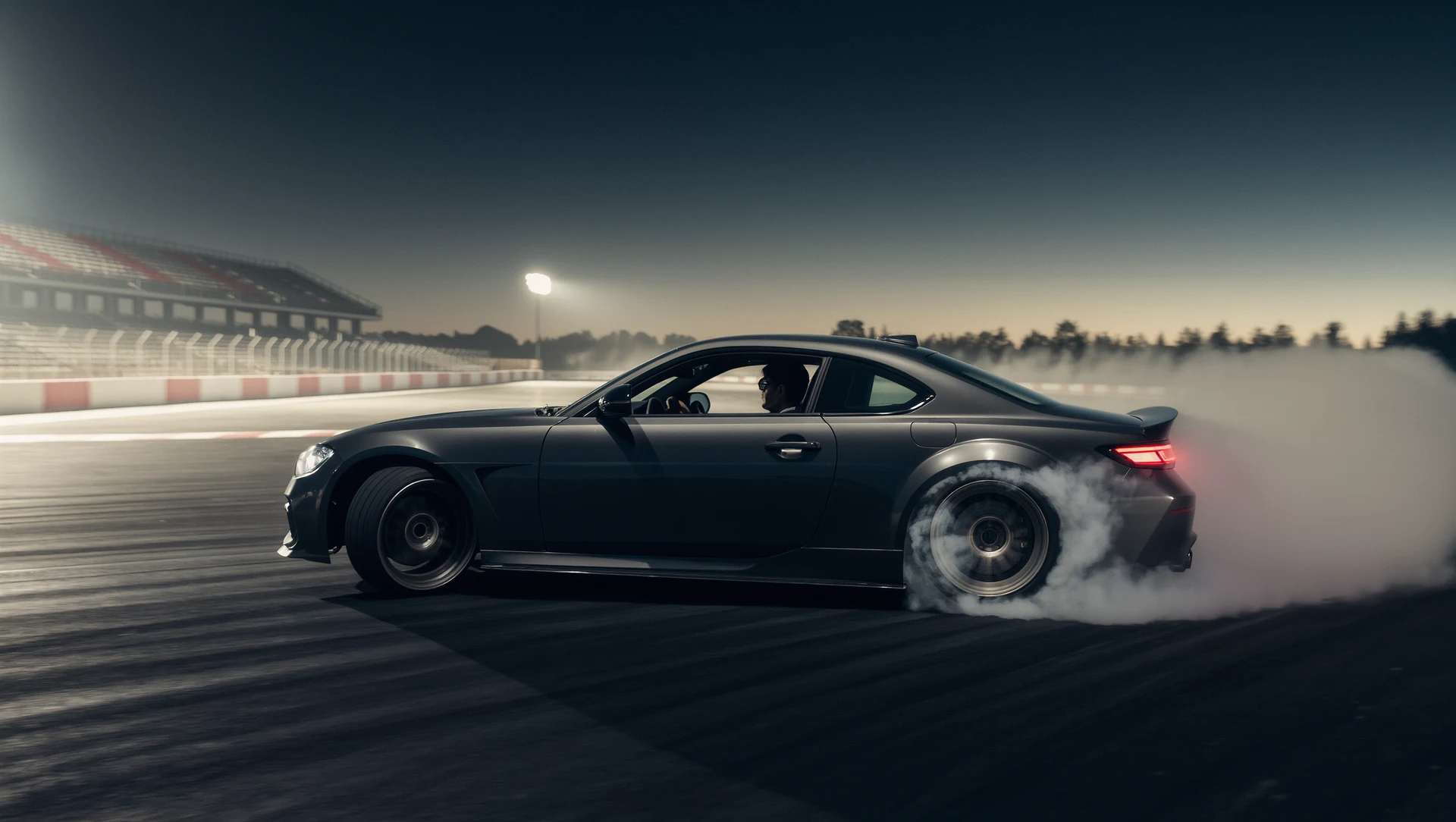
So, you want to get better at drifting? The quickest and most effective way to master the art of sliding a car sideways isn’t by tearing up your tires or risking your vehicle…

So, you want to get better at drifting? The quickest and most effective way to master the art of sliding a car sideways isn’t by tearing up your tires or risking your vehicle on a real track. It’s by using a simulator. Simulators offer a safe, controlled, and cost-effective environment to practice, experiment, and refine your drifting skills without any real-world consequences.
Why Simulators Trump Real-World Practice (Initially)
Think about it: in a real car, every mistake costs money, tires, fuel, potential repairs. There’s also the element of danger. A simulator removes all of that. You can crash, spin, hit walls endlessly, and all it costs you is a bit of virtual pride. This freedom allows for aggressive experimentation, which is crucial for learning a nuanced skill like drifting. You can try outlandish techniques, push the car beyond its limits, and understand the consequences without feeling that pang of regret or the need to write out a cheque.
Before you can ignite those virtual tires, you need the right tools. While you can technically drift with a keyboard or gamepad, it’s akin to trying to sculpt with a butter knife, technically possible, but far from ideal.
The Foundation: Your PC or Console
Most serious sim racers opt for a gaming PC due to the flexibility and modding capabilities it offers. However, modern consoles like PlayStation and Xbox have a robust selection of excellent racing simulators that can more than adequately serve your drifting needs.
- PC: Offers the widest variety of software, extensive modding communities for custom tracks and cars, and the ability to run higher graphics settings. This comes at a higher initial cost.
- Console: More budget-friendly, simpler setup, and often a more “plug-and-play” experience. The downside is typically less access to niche mods and sometimes lower frame rates compared to a dedicated gaming PC.
The Core Components: Wheel, Pedals, and Shifter
This is where the magic happens. A good force feedback steering wheel, responsive pedals, and a sequential or H-pattern shifter are non-negotiable for a realistic drifting experience.
- Force Feedback Steering Wheel: This isn’t just about turning the car; it’s about feeling the car. Force feedback simulates the forces you’d feel through a real steering wheel, tire grip, road texture, understeer, oversteer, and most importantly for drifting, counter-steer force. Look for wheels with strong, smooth force feedback. Direct drive wheels offer the most realistic experience but come at a premium. Belt-driven wheels are a great mid-range option, while gear-driven wheels are often the entry point.
- Rim Options: Some wheels allow you to swap out the rim. A larger diameter rim can reduce the perceived quickness of the wheel, which can be useful for drifting.
- Button Layout: Ensure the wheel has enough programmable buttons for essential functions like handbrake, gear changes (if not using a separate shifter), and camera views.
- Pedals: You need good brake and accelerator pedals. For drifting, the accelerator pedal’s linearity and feel are paramount for precise throttle control. Many higher-end pedal sets include a clutch pedal, which is essential for certain drifting techniques, especially clutch-kick entries.
- Load Cell Brakes: While less critical for drifting compared to circuit racing, a load cell brake pedal offers a much more realistic braking feel, relying on pressure rather than travel.
- Potentiometer vs. Hall Effect: Newer pedals often use Hall effect sensors, which are contactless and thus more durable and precise than traditional potentiometers.
- Shifter: A separate shifter significantly enhances immersion and control. Most drift cars use either a sequential shifter or an H-pattern gearbox (especially older JDM cars).
- Sequential Shifter: Often simpler and quicker to use, ideal for vehicles with sequential gearboxes.
- H-Pattern Shifter: Offers a more tactile and authentic experience for cars with manual transmissions. Often includes a realistic “gate” feel.
- Handbrake: Crucial for initiator and adjustment techniques in drifting. While you can map a button on your wheel or shifter to act as a handbrake, a dedicated analog or digital handbrake lever provides far greater control and realism.
- Analog Handbrakes: These are preferred as they allow for partial engagement, giving you finer control over the angle and speed of your drift.
The Immersion Enhancers: Monitor, VR, and Seat
While not strictly necessary to learn, these components drastically improve the experience and can, in turn, accelerate your learning.
- Monitor: A large, high refresh rate monitor (120Hz or more) provides a smoother visual experience, which is important for reacting quickly to car movements. Ultrawide monitors can offer a wider field of view, enhancing immersion.
- Virtual Reality (VR): This is often considered the ultimate immersion enhancer for sim racing. Being “inside” the car completely changes the perception of speed and depth, making it easier to judge angles and track limits. However, sustained VR use can cause motion sickness for some, and it requires a powerful PC.
- Sim Racing Seat/Cockpit: A dedicated cockpit provides a stable and comfortable platform for all your gear, preventing pedals from sliding and ensuring your wheel is at the correct height. This allows you to focus purely on driving.
Choosing Your Simulator Software Wisely
Not all racing simulators are created equal when it comes to drifting. Some prioritize realism in all aspects, others are more arcade-like. For mastering drifting, you need something that accurately models tire physics, weight transfer, and chassis dynamics.
Top Simulator Picks for Drifting
These titles consistently rank high for their realistic physics and robust drifting communities.
- Assetto Corsa (PC): The undisputed king of drifting sims. Its highly detailed physics engine and a massive modding community mean endless possibilities for cars, tracks, and tuning setups. If you’re serious about drifting, this is where you start.
- Content Manager & Custom Shaders Patch: These unofficial tools are essential for Assetto Corsa. They unlock graphical enhancements, new features, and make managing mods incredibly easy.
- Drift Mod Packs: There are numerous community-made drift car packs (e.g. Touge Life, World Drift Tour, WDT Street) that offer incredibly detailed and realistic drift cars.
- Assetto Corsa Competizione (PC, Console): While primarily focused on GT racing, ACC’s physics engine is exceptional. While official drift content is limited, some mods do exist. It’s more of a niche pick for drifting but worth mentioning for its underlying physics.
- BeamNG.drive (PC): Known for its incredibly detailed soft-body physics, BeamNG allows for spectacular crashes and highly realistic vehicle deformation. It’s not a dedicated racing sim in the traditional sense, but its physics engine makes it an excellent sandpit for experimenting with car behavior, including drifting.
- Freestyle Drifting: Excellent for understanding how weight transfer and suspension react during drifts.
- Tuning Freedom: Offers extensive tuning options to really dig into how different settings affect the car’s slide.
- Forza Motorsport (PC, Xbox): While often considered more “sim-cade,” Forza offers a very accessible and enjoyable drifting experience. Its car list is extensive, and tuning options allow for good drift setups. The physics are less hardcore than Assetto Corsa, making it a good entry point.
- Variety of Cars: Huge range of street and purpose-built drift cars.
- Online Drifting: Active online communities for tandem drifting and drift competitions.
- Forza Horizon (PC, Xbox): The open-world cousin of Motorsport. Horizon is fantastic for casual, fun drifting in a vast environment. Physics are even more forgiving than Motorsport, but still allow for skill and style. Great for learning basic car control and having a blast.
- Open World Exploration: Practice drifting anywhere, from mountain roads to urban streets.
- Seasonal Events: Often features drift challenges and events.
- Drift CE (PC, Console): A more recent contender focused purely on drifting. It offers dedicated drift physics, good customization, and a strong emphasis on multiplayer tandem drifting. A solid option if you want a game built from the ground up for drifting.
- Dedicated Drift Physics: Built specifically for sliding, offering a tailored experience.
- Tandem Focus: Designed with online synchronized drifting in mind.
Key Factors When Choosing a Sim
Beyond the specific titles, consider these aspects:
- Physics Engine: This is paramount. Does it accurately model tire grip, weight transfer, suspension behavior, and friction? Read reviews and watch gameplay to get a sense of this.
- Modding Community: For PC users, a vibrant modding scene means more cars, tracks, and tools, vastly extending the life and enjoyment of the sim.
- Tuning Options: Drifting is as much about car setup as it is about driving skill. A good sim will offer extensive tuning options for suspension, differential, tire pressure, alignment, and gear ratios.
- Track Variety: You’ll want a mix of tight, technical tracks (like touge roads) and wider, high-speed drift courses.
- Multiplayer/Community: Drifting is incredibly fun with others. Look for sims with active online communities for tandem drifting or competitions.
Understanding Drift Dynamics: The Theory Behind the Slide
Before you can truly master drifting, a basic understanding of the physics involved will help you make sense of what the car is doing and how to react.
The Core Elements of a Drift
Drifting isn’t just randomly spinning out; it’s a controlled oversteer.
- Oversteer: When the rear tires lose grip before the front tires, causing the rear of the car to swing out wider than the front. This is the foundation of a drift.
- Weight Transfer: Crucial for initiating and sustaining a drift. Shifting weight to the front wheels unloads the rear, reducing grip and allowing them to break loose. Shifting weight to the rear can help regain grip or hold an angle.
- Tire Grip & Slip Angle: Each tire has a maximum grip potential at a certain slip angle (the difference between where the tire is pointing and where it’s actually going). Drifting involves pushing the rear tires past this optimal slip angle while maintaining some grip on the front.
- Balance of Power & Grip: Drifting is a constant battle between supplying enough power to overcome rear tire grip (to make them slide) and maintaining just enough front tire grip to steer the car through the slide.
Key Input Controls (and What They Do)
Every input you give to the simulator has a direct impact on the car’s behavior.
- Steering: Counter-steering (turning the wheel into the slide) is fundamental for controlling the drift angle and preventing a full spin. The speed and amount of counter-steer are critical.
- Throttle: Your primary tool for managing the rear wheels. More throttle generally increases the slide; less throttle allows the rear to regain grip. Precise, modulated throttle control is key.
- Brake: Used to shift weight forward, reducing rear grip, and also to control speed and correct angles.
- Trail Braking: Using the brakes while turning to induce oversteer.
- Clutch: Used for clutch kicking, quickly engaging and disengaging the clutch with high RPMs to momentarily overwhelm the rear tires with power, inducing a slide.
- Handbrake: Primarily for initiating drifts (e.g. handbrake entry) or adjusting drift angles mid-slide. Analog handbrakes allow for finer control.
Tuning for the Slide: Basic Setup Considerations
While you’ll fine-tune setups later, some general principles apply to drift car tuning.
- Differential: A locked differential (or a very high lock percentage) helps ensure both rear wheels spin at the same rate, making it easier to maintain a consistent slide.
- Suspension: Stiffer springs and anti-roll bars can make the car more responsive and prone to oversteer, but too stiff can make it unpredictable. Softer suspension allows for more weight transfer. It’s often a balance.
- Alignment (Caster, Camber, Toe):
- Camber: Negative camber can enhance cornering grip. For drifting, a bit of negative camber on the front (think -3 to -5 degrees) helps maintain front grip during the slide. Rear camber can vary depending on desired predictability.
- Toe: Positive toe-out on the front wheels (front of the wheels point slightly away from each other) can make initial turn-in sharper and help with counter-steer. Rear toe-in can enhance stability; rear toe-out increases oversteer.
- Caster: More positive caster provides greater self-aligning torque, helping the steering wheel “snap back” to center during counter-steer, which is very helpful for drifting. (e.g. 6-10 degrees).
- Tire Pressure: Often, slightly higher rear tire pressure can make it easier to break traction, but too high and you lose predictability. Front tire pressure is generally kept lower to maximize grip.
- Gear Ratios: Shorter gear ratios (lower top speed per gear) provide more torque to the wheels, making it easier to break traction and maintain engine RPMs during a slide.
Practical Practice: Techniques and Drills
Theory is great, but practice is where you build muscle memory and instinct. Start simple and gradually increase complexity.
The Fundamentals: Building Muscle Memory
- Donuts: The most basic drift exercise. Practice holding a continuous donut to understand throttle control and consistent counter-steer. Vary the radius and speed.
- Figure Eights: Progress from donuts to figure eights. This introduces transitions between drifts, teaching you how to smoothly shift weight and reverse your counter-steer. Focus on smooth transitions.
- Slalom/Cones: Set up a series of cones and practice initiating and linking drifts between them. This refines your ability to control angle and line.
Initiating the Drift: Entry Techniques
How you start the drift is critical. Experiment with these common methods:
- Power Over (or Power On) Entry: The simplest. Approach a corner, turn in sharply, and then aggressively apply throttle to break rear traction. Requires a powerful car and good throttle control.
- Drill: Find a wide, sweeping corner. Approach at a moderate speed, turn in, then smoothly but firmly apply throttle until the rear slides. Maintain the slide.
- Clutch Kick Entry: While turning into a corner, rev the engine high, then quickly depress and release the clutch pedal. This overwhelms the rear tires with a sudden burst of power, breaking traction. Very effective for less powerful cars or tight corners.
- Drill: On a straight, get into second or third gear, rev the engine, clutch kick, and quickly counter-steer to catch the slide. Repeat on corners.
- Handbrake Entry: Turn into a corner, then briefly pull the handbrake to lock the rear wheels, initiating the slide. Release the handbrake, counter-steer, and apply throttle to continue the drift. Great for tight corners and quick angle changes.
- Drill: Approach a 90-degree corner. Brake, turn in, pull the handbrake for a split second, then release, counter-steer, and get on the throttle.
- Brake/Faint Entry (Feint Drift): Approach a corner, quickly flick the car away from the corner, then immediately flick it into the corner. This rapid weight transfer unloads the rear, prompting a slide. Can also involve a tap of the brake (brake entry) to further shift weight forward.
- Drill: On a long straight, practice quick flicks left and right, trying to induce a small slide each time. Then apply this to corner entries.
Sustaining and Transitioning the Drift
Once you’re sliding, the real art begins.
- Throttle and Steering Modulation: This is the core skill. Use small and precise adjustments to the throttle to manage the rear wheel spin and subtle steering inputs to control your line and angle.
- Counter-Steering: Your most important steering input. Learn to react instinctively as the wheel snaps into counter-steer. The amount of counter-steer dictates your angle.
- Weight Transfer Management During Transitions: When linking drifts (e.g. in a figure eight or a complex S-bend), consciously use steering and throttle to shift the car’s weight from one side to the other to initiate the next drift smoothly.
- Drill: Go for a long, meandering S-bend track. Focus on maintaining a continuous drift through the whole section, smoothly shifting weight and counter-steering.
Advanced Techniques
Once comfortable with the basics.
- Tandem Drifting: Drifting in close proximity with another car, matching their line and speed. This requires extreme precision, communication (if online), and trust. Start with AI cars, then move to online players.
- Wall Taps & Proximity Drifting: Deliberately getting the rear of your car incredibly close to a wall or barrier without making contact. This highlights exceptional car control and angle. Practice in areas with forgiving run-off first.
- Specific Entries for Specific Corners: Analyze a corner, its radius, elevation changes, and speed, and choose the most appropriate entry technique. Some corners lend themselves to power-over, others to handbrake or clutch kicks.
Refining Your Skills: Beyond the Basics
Mastering an art form like drifting isn’t just about repetition; it’s about intelligent practice and continuous learning.
Analyze, Adapt, Repeat
- Replay Analysis: Most simulators have replay functions. Use them! Watch your own driving from different camera angles.
- What went wrong? Did you over-rotate? Not enough angle? Too much throttle?
- What went right? Identify successful techniques and try to replicate them.
- Input Overlays: Some sims and third-party tools can display your pedal and steering inputs in replays, allowing you to see exactly what you were doing.
- Telemetry Data: More advanced sims offer telemetry data (tire temperatures, suspension travel, slip angles, G-forces). This can be overwhelming initially, but as you progress, it can provide deep insights into car behavior and how your inputs affect it.
- Experiment with Car Setups: Don’t be afraid to tweak parameters. Make small changes one at a time and observe the effects. Keep notes on what works and what doesn’t.
- Trial and Error: Adjust differential lock, spring rates, anti-roll bars, tire pressures, and alignment. How does each change affect the car’s ability to initiate, sustain, and recover from a slide?
Learn from the Best
- Watch Real Drifters: Pay attention to their entry methods, how they use the throttle, counter-steer, and manage transitions. Look up professional drift competitions (Formula Drift, D1 Grand Prix) and watch onboard footage.
- Watch Simulator Drifters: Many highly skilled sim drifters share their gameplay and tutorials on platforms like YouTube and Twitch. Observe their lines, inputs, and car control. Some even share their setups.
- Join Communities: Engage with online communities (forums, Discord servers) related to your chosen simulator. Ask questions, share your replays for feedback, and learn from others.
The Mental Game
Drifting, even in a simulator, requires focus and patience.
- Patience: You’re going to spin out. A lot. Don’t get frustrated. See each spin as a learning opportunity.
- Focus: Maintain concentration on the car’s behavior, the track ahead, and your inputs.
- Consistency: Aim for consistent, repeatable drifts before pushing for more extreme angles or faster speeds.
- Break Down Complexities: If you’re struggling with a segment of a track, break it down. Practice the entry separately, then the middle, then the exit, before stringing it all together.
Maintaining and Upgrading Your Setup
Your simulator journey doesn’t end once you have a setup. Like any hobby, it benefits from ongoing attention.
Software Updates and Mods
- Keep Your Simulator Software Updated: Developers often release patches that improve physics, add features, or fix bugs.
- Explore New Mods (PC): The modding community for many sims (especially Assetto Corsa) constantly releases new cars, tracks, and tools. Keep an eye on popular modding sites.
- Backups: Always back up your game files before installing major mods, especially if they overwrite existing files.
Hardware Maintenance
- Clean Your Gear: Dust can accumulate in pedals, leading to sticky or inaccurate inputs. Periodically clean your wheel base and pedals.
- Check Connections: Ensure all USB cables and power cables are securely connected.
- Firmware Updates: Wheel and pedal manufacturers occasionally release firmware updates that can improve performance or fix issues. Check their websites regularly.
When to Upgrade
- Identify Bottlenecks: Is your old wheel feeling mushy? Are your pedals imprecise? Are you constantly losing frames? Upgrade components that are genuinely holding you back, rather than just buying the latest shiny object.
- Incremental Upgrades: You don’t need to buy a full direct-drive setup at once. Start with a better pedal set, then a stronger force feedback wheel, then a dedicated handbrake, and so on.
- Consider Your Goals: If you’re just enjoying casual drifting, a G29/T300 setup might be perfectly fine. If you aspire to competitive sim drifting, investing in more high-end gear will give you an edge.
Beyond the Virtual Track: Real-World Applications
While a simulator can’t fully replicate the g-forces and fear factor of real-world drifting, the skills you develop are surprisingly transferable.
Enhanced Car Control
The precise inputs and rapid reactions you learn in the simulator will translate directly to better car control in a real vehicle, even in non-drifting scenarios. You’ll have a better understanding of weight transfer, tire grip limits, and how your inputs affect the car.
Understanding Vehicle Dynamics
Simulating countless scenarios helps build an intuitive understanding of vehicle dynamics. You’ll start to anticipate how a car will react before it even happens, which is invaluable for both performance driving and everyday safety.
Reduced Learning Curve for Real Drifting
If you ever decide to try real-world drifting, your simulator training will give you a massive head start. You’ll already have the muscle memory for counter-steering, throttle modulation, and initiation techniques, allowing you to focus on adapting to the real g-forces and sensory feedback.
Cost-Effective Skill Development
Compared to real-world track days, tire consumption, and fuel costs, a simulator is an incredibly economical way to become a truly skilled driver. You can essentially get thousands of hours of “track time” for a fraction of the cost.
So, fire up your sim, pick a powerful rear-wheel-drive monster, and start sliding. The virtual road to drifting mastery awaits, and it’s a journey filled with exhilarating slides, frustrating spins, and ultimately, immense satisfaction.
FAQs
What is a drifting simulator?
A drifting simulator is a type of video game that allows players to simulate the experience of drifting a car. Players can control various aspects of the car’s performance and attempt to execute precise and stylish drifts on virtual tracks.What platforms are drifting simulators available on?
Drifting simulators are available on various gaming platforms, including PC, gaming consoles such as PlayStation and Xbox, and mobile devices. They can be accessed through digital storefronts or app stores.What features are typically included in drifting simulators?
Drifting simulators often include a variety of features such as customizable cars, realistic physics and handling, multiple tracks and environments, multiplayer modes, and the ability to tune and modify the car’s performance.Are there different types of drifting simulators available?
Yes, there are different types of drifting simulators available, ranging from realistic and simulation-focused experiences to more arcade-style games with simplified controls and exaggerated drifting mechanics.Can drifting simulators help improve real-life drifting skills?
While drifting simulators can provide a fun and immersive experience, they may not directly translate to improving real-life drifting skills. However, they can help players understand the basics of drifting and familiarize themselves with car control and handling techniques.More from Drifting

Virtual Drifting: A Thrilling Experience
Virtual drifting is, in short, a digital simulation of the high-skill, car-control sport of drifting. It’s about sliding a car through a turn, m…

Mastering Drifts: Professional Simulator Experience
So, you want to get good at drifting in a simulator, huh? The short answer is: it takes a lot of practice, the right equipment, and a solid understand…
Mastering the Art of Sim Racing Drifting
Let’s dive into the world of sim racing drifting. If you’re wondering how to actually drift in a simulator, it boils down to a controlled …