Mastering Drift: Simulator Training
So, you want to get better at drifting, but hitting the track every day just isn’t feasible, right? That’s where simulators come in. Simply put, simulator training is a…
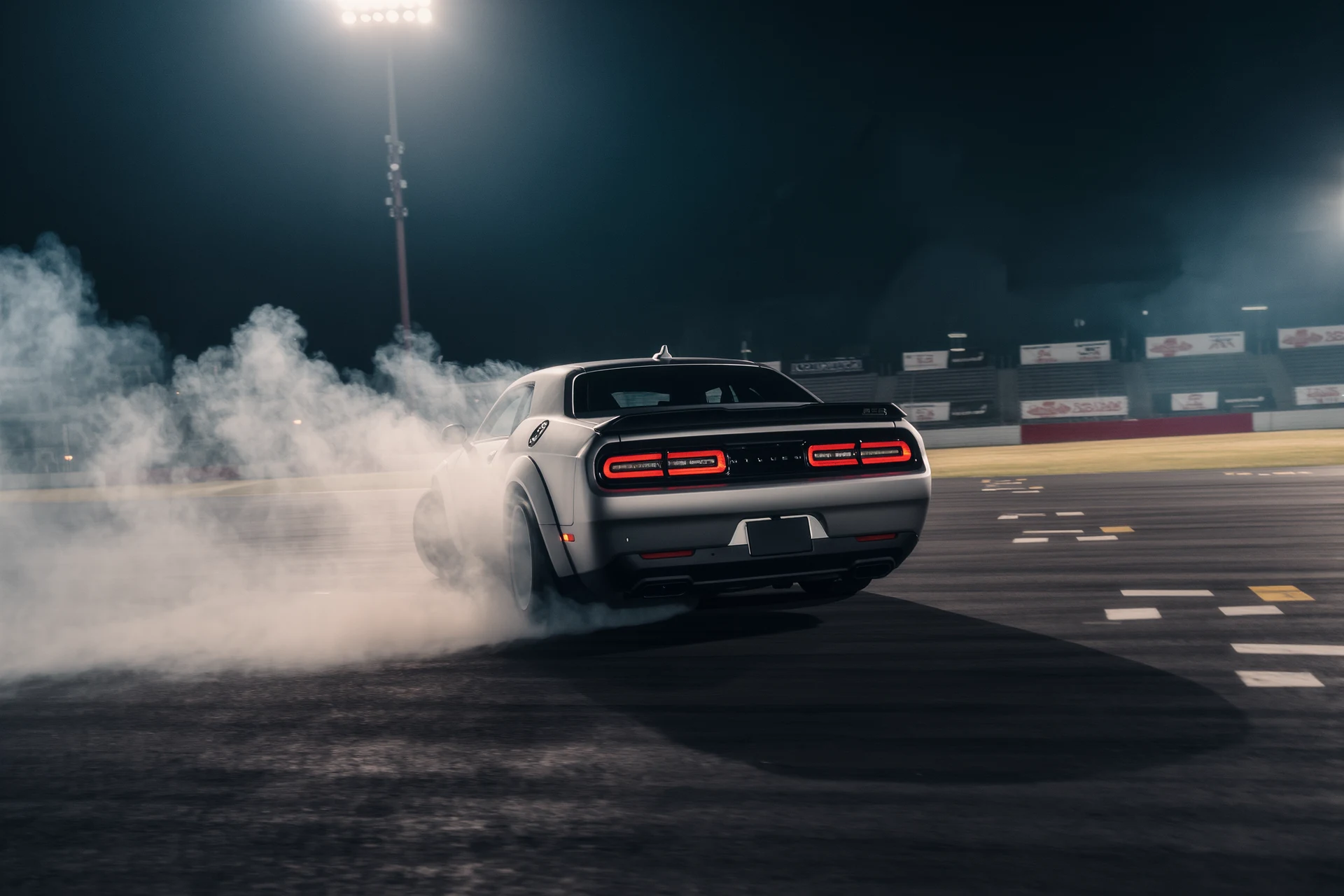
So, you want to get better at drifting, but hitting the track every day just isn’t feasible, right? That’s where simulators come in. Simply put, simulator training is an incredibly effective and cost-efficient way to hone your drifting skills without all the expenses and risks of real-world practice. It allows you to build muscle memory, understand car dynamics, and experiment with techniques in a safe, controlled environment.
Let’s be honest, real-world drifting is expensive. Tires, fuel, track time, potential repairs, it all adds up fast. Simulators cut out virtually all of those costs, opening up a world of practice opportunities. Beyond the financial aspect, they offer a level of control and repetition you can’t easily get on a real track. You can rewind, restart, change conditions, and instantly apply feedback.
Cost-Effectiveness You Can’t Beat
Think about it: a decent gaming PC and a wheel setup might seem like an upfront investment, but compare that to even one day at a drift event. You’ll quickly see the savings. No more buying new tires every other session, no more filling up a thirsty engine, and no more hefty track fees. This frees you up to practice far more frequently, which is crucial for skill development.
Safe and Controlled Environment
Crashing in a simulator? Annoying. Crashing your real car? Devastating. Simulators allow you to push limits, make mistakes, and learn from them without any real-world consequences. This psychological safety net encourages bolder experimentation and faster learning. You can try crazy entry angles or aggressive throttle applications you might never attempt in your actual car initially.
Instant Feedback and Analysis
Many simulators offer telemetry data and replay functions. You can see exactly what your steering input was, how much throttle you applied, brake pressure, and even tire temperatures. This objective data is invaluable for dissecting your runs and identifying areas for improvement that your gut feeling alone might miss. It’s like having a personal instructor meticulously logging every move you make.
Essential Simulator Hardware for Drifting
You don’t need a million-dollar setup to start, but there are some key components that will significantly enhance your training experience. Focus on these core elements first.
The Powerhouse: Your PC
While some console games offer drifting, a PC is generally preferred for the deeper simulation fidelity and wider range of software options. You’ll want a decent graphics card (Nvidia RTX 3060/AMD RX 6600 or better is a good starting point), a solid CPU, and at least 16GB of RAM. Drifting sims can be surprisingly demanding, especially with track mods and high visual settings.
The Core Connection: Steering Wheel, Pedals, and Shifter
This is where the magic happens. A good force feedback wheel is non-negotiable. It communicates what the car is doing, letting you feel tire grip, understeer, and oversteer.
Force Feedback Wheel
- Entry-Level (around $200-$400): Logitech G29/G920/G923, Thrustmaster T300RS. These are good for getting started, offering decent feedback.
- Mid-Range (around $500-$1000): Fanatec CSL DD, Moza R5/R9. These direct drive wheels offer significantly more realistic and nuanced force feedback, providing a much clearer picture of what the car is doing. This jump in fidelity is arguably the biggest upgrade you can make for drifting.
- High-End (over $1000): Simucube, VRS, Fanatec Podium series. These are top-tier wheels for serious enthusiasts and professionals, offering incredible detail and power.
Pedals
- Load Cell vs. Potentiometer: For drifting, a good brake pedal is crucial, but more importantly, a precise throttle is an absolute must. Load cell brakes are a game-changer for consistency in braking, but for drifting, the feel and linearity of your throttle pedal are paramount. Get pedals with hall-effect sensors or load cells for better fidelity than basic potentiometer pedals.
- Two vs. Three Pedals: You’ll want at least two, but three (with a clutch) is ideal for proper clutch kicks and advanced techniques.
Shifter
- H-Pattern Shifter: If you’re drifting manual cars, an H-pattern shifter is essential for realism and practicing proper gear changes during a drift. Sequential shifters are fine for some race cars, but don’t offer the same feel as a manual.
- Handbrake: This is critical for initiating drifts and making adjustments. A dedicated USB handbrake makes a huge difference compared to trying to use a button on your wheel.
Top Drifting Simulator Software
Choosing the right software is just as important as your hardware. Each sim has its strengths and communities.
Assetto Corsa (PC)
This is arguably the king of drift simulation. Its open modding community means an almost endless supply of cars and tracks, many specifically tuned for drifting.
Pros of Assetto Corsa for Drifting
- Unparalleled Modding Scene: Thousands of community-created drift cars (known as “drift packs”) and tracks. These mods often feature highly detailed physics and sound.
- Realistic Physics: The base game’s physics engine is excellent, providing a solid foundation for drift.
- Customization: Deep customization options for car setup, weather, and track conditions.
- Large Online Community: Plenty of online servers and communities dedicated to drift.
Cons of Assetto Corsa for Drifting
- Learning Curve: Can be a bit intimidating to set up initially with all the mods.
- Base Game Content: The vanilla game doesn’t have a huge amount of official drift content, so mods are essential.
BeamNG.drive (PC)
Known for its incredible soft-body physics engine, BeamNG.drive offers a unique drifting experience where crashes look and feel incredibly realistic.
Pros of BeamNG.drive for Drifting
- Unrivaled Damage Model: The soft-body physics allow for realistic deformation and damage, which can be a fun, albeit destructive, way to learn limits.
- Dynamic Driving Feel: The physics for weight transfer and chassis flex are excellent, providing a very tactile sense of driving.
- Open World and Scenarios: Plenty of maps and scenarios to experiment with.
Cons of BeamNG.drive for Drifting
- Demanding on Hardware: Can be very resource-intensive due to its complex physics calculations.
- Less Focus on Competition: More of a sandbox driving game than a competitive drift sim.
Forza Motorsport/Horizon (PC/Xbox)
These titles offer a more accessible entry point to drifting, particularly Forza Horizon with its open-world playground.
Pros of Forza for Drifting
- Accessibility: Easier to pick up and play for beginners, with assists that can be tapered off.
- Vast Car and Track Selection: Huge car rosters (especially Horizon) and varied environments.
- Good for Learning Basics: Excellent for getting a feel for oversteer and throttle control.
Cons of Forza for Drifting
- Sim-Arcade Hybrid: Physics are less realistic than dedicated sims, often designed to be more forgiving.
- Less Detailed Force Feedback: The force feedback is generally not as nuanced or communicative as in dedicated PC sims.
Setting Up for Drifting Success
Beyond the hardware and software, a few other considerations will fine-tune your training environment.
Ergonomics of Your Setup
Don’t underestimate the importance of comfort and proper positioning. A wobbly desk or an uncomfortable chair will hinder your concentration and lead to fatigue.
Stable Mounting
- Wheel Stand/Cockpit: A dedicated wheel stand or full racing cockpit is highly recommended. It keeps your wheel and pedals stable, preventing them from shifting during intense moments. This consistency allows for better muscle memory development.
- Monitor Placement: Your primary monitor should be directly in front of you, with the top of the monitor roughly at eye level. This creates a more immersive and natural field of view.
Comfortable Seating
- Racing Seat: A racing seat (whether stand-alone or part of a cockpit) puts you in an optimal driving position, allowing you to focus on the controls rather than fighting discomfort.
- Adjustability: Ensure your seat, wheel, and pedal positions are adjustable so you can find your ideal configuration for long practice sessions.
Calibration and Settings
This is where you make your simulator truly yours. Don’t skip these steps!
Wheel and Pedal Calibration
- Force Feedback Strength: Start with moderate FFB strength and gradually increase it as you get comfortable. Too strong, and it can be tiring; too weak, and you lose critical information.
- Degrees of Rotation (DOR): For drifting, a higher DOR (typically 900-1080 degrees) is generally preferred to allow for more natural counter-steering inputs. Match it to the car’s real-world counterpart if possible.
- Dead Zones and Linearity: Ensure there are no dead zones on your pedals (especially the throttle) unless intentionally added. Adjust linearity curves to your preference, some drivers prefer a more aggressive throttle response in the initial travel, others a more linear one.
In-Game Car Setup
- Tire Pressure: Often overlooked, tire pressure significantly affects grip and breakaway characteristics. Experiment with slightly lower rear pressures for easier initiation or higher pressures for more slip.
- Suspension: Stiffer rear springs and sway bars can make the car more eager to oversteer. Softer fronts can help with weight transfer.
- Differential: A welded or high-lock differential is a staple in drift cars, ensuring both rear wheels spin at the same rate. Adjusting lock-up can influence how aggressive the car is.
- Camber/Toe: Negative camber on the front wheels helps with grip during steering, while rear toe out can make a car more unstable for initiation.
Effective Training Techniques
Now that your setup is ready, how do you actually learn to drift? It’s not just about spinning tires; it’s about control.
Breaking Down the Drift
Drifting isn’t one seamless motion; it’s a series of interconnected actions. Practice each component individually before stringing them together.
Initiation Techniques
- Clutch Kick: The most common. Briefly engaging the clutch at high revs to send a shockwave of torque to the rear wheels, breaking traction. Practice the timing of the clutch release and throttle application.
- Feint Drift (Scandinavian Flick): Turning one way to load the suspension, then quickly turning the opposite way to unsettle the rear. This relies heavily on weight transfer.
- Handbrake Entry: Locking the rear wheels with the handbrake to break traction. Timing of release and throttle application is key.
- Power Over: Simply applying enough throttle to overpower the rear tires and break traction. Effective in powerful cars.
Throttle and Steering Control
- Throttle Modulation: This is your primary control for managing the drift angle and speed. Small, precise adjustments are key. Too much throttle, and you spin; too little, and you grip up.
- Counter-Steering: As the rear steps out, you’ll need to rapidly turn the wheel into the slide (opposite direction of travel) to correct. The amount and speed of counter-steer are crucial. Your force feedback wheel will naturally want to turn itself in this direction; learn to let it, but guide it.
Vision and Anticipation
- Look Where You Want to Go: This applies even more strongly in drifting. Don’t stare at the front bumper; look through the corner, anticipating the next clipping point.
- Predicting the Car’s Movement: With practice, you’ll start to feel the car’s balance and predict how it will react to your inputs, allowing for smoother corrections.
Repetition and Consistency
Drifting, like any motor sport, thrives on muscle memory.
Consistent Drills
- Donuts: Start with simple donuts around a cone. Focus on maintaining a consistent angle and radius using only throttle and steering input.
- Figure Eights: Graduate to figure eights to practice transitioning a drift from one direction to the other. This helps with weight transfer and rapid counter-steering.
- Basic Corner Entries: Practice initiating drifts into specific corners. Focus on hitting your desired entry point, angle, and speed.
Recording and Reviewing Your Sessions
Many sims have replay functions. Use them! Watch your runs, especially the bad ones.
- Identify Mistakes: See exactly where you over-corrected, applied too much throttle, or missed an apex.
- Analyze Input: Look at telemetry data if available. Were your steering inputs smooth? Was your throttle consistent?
- Compare to Goals: Did you achieve the drift line you intended? Where did it go wrong?
The Mental Game: Patience and Persistence
Drifting is frustrating. You will spin out countless times. This is normal.
Embrace Failure as Learning
Every spin is an opportunity to learn. Don’t get discouraged. Analyze what went wrong, make a small adjustment, and try again. It’s a process of iterative improvement. Simulators are perfect for this because the consequences are zero.
Set Realistic Goals
Don’t expect to be a drift king overnight. Start with mastering basic techniques on an easy track. Gradually push yourself with more challenging layouts and faster cars. Celebrate small victories, like linking two corners smoothly.
Join Online Communities
The sim racing community, especially for Assetto Corsa drifting, is huge and welcoming.
Learn from Others
- Watch Tutorials: Many excellent YouTube tutorials demonstrate techniques and setups.
- Join Drift Servers: Participate in online drift lobbies. Observe how others drive, ask questions, and even get direct feedback.
- Share Your Replays: Some communities offer opportunities to share replays for analysis and advice.
Simulator training isn’t just a placeholder for real drifting; it’s a powerful tool that can accelerate your skill development exponentially. By investing time in a solid setup and committed practice, you’ll build the muscle memory and theoretical understanding to truly master the art of drifting, both virtually and eventually, in the physical world. Good luck, and have fun sliding!
FAQs
What is a drift training simulator?
A drift training simulator is a virtual reality or computer-based system designed to simulate the experience of drifting in a controlled environment. It allows users to practice and improve their drifting skills in a safe and controlled setting.How does a drift training simulator work?
A drift training simulator typically uses advanced software and hardware to recreate the physics and dynamics of drifting. Users can sit in a simulated car equipped with a steering wheel, pedals, and other controls, and experience realistic drifting scenarios on a screen or through virtual reality goggles.What are the benefits of using a drift training simulator?
Using a drift training simulator allows drivers to practice and refine their drifting techniques without the risks associated with real-world driving. It can help improve car control, precision, and reaction times, ultimately enhancing a driver’s overall performance on the track.Who can benefit from using a drift training simulator?
Professional drifters, amateur racers, and driving enthusiasts can all benefit from using a drift training simulator. It provides a safe and accessible way to hone drifting skills, learn new techniques, and familiarize oneself with different car setups and track conditions.Are there different types of drift training simulators available?
Yes, there are various types of drift training simulators available, ranging from basic computer-based programs to advanced virtual reality setups. Some simulators are designed for home use, while others are used in professional racing and training facilities.More from Drifting
Virtual Drifting: A Thrilling Experience
Virtual drifting is, in short, a digital simulation of the high-skill, car-control sport of drifting. It’s about sliding a car through a turn, m…

Mastering Drifts: Professional Simulator Experience
So, you want to get good at drifting in a simulator, huh? The short answer is: it takes a lot of practice, the right equipment, and a solid understand…
Mastering the Art of Sim Racing Drifting
Let’s dive into the world of sim racing drifting. If you’re wondering how to actually drift in a simulator, it boils down to a controlled …