Perfecting Drifts: The Ultimate Simulator Setup
So, you want to nail those drifts, carve those corners, and control that slide like a pro, all from the comfort of your home? The secret to truly perfecting your drifting in a simu…
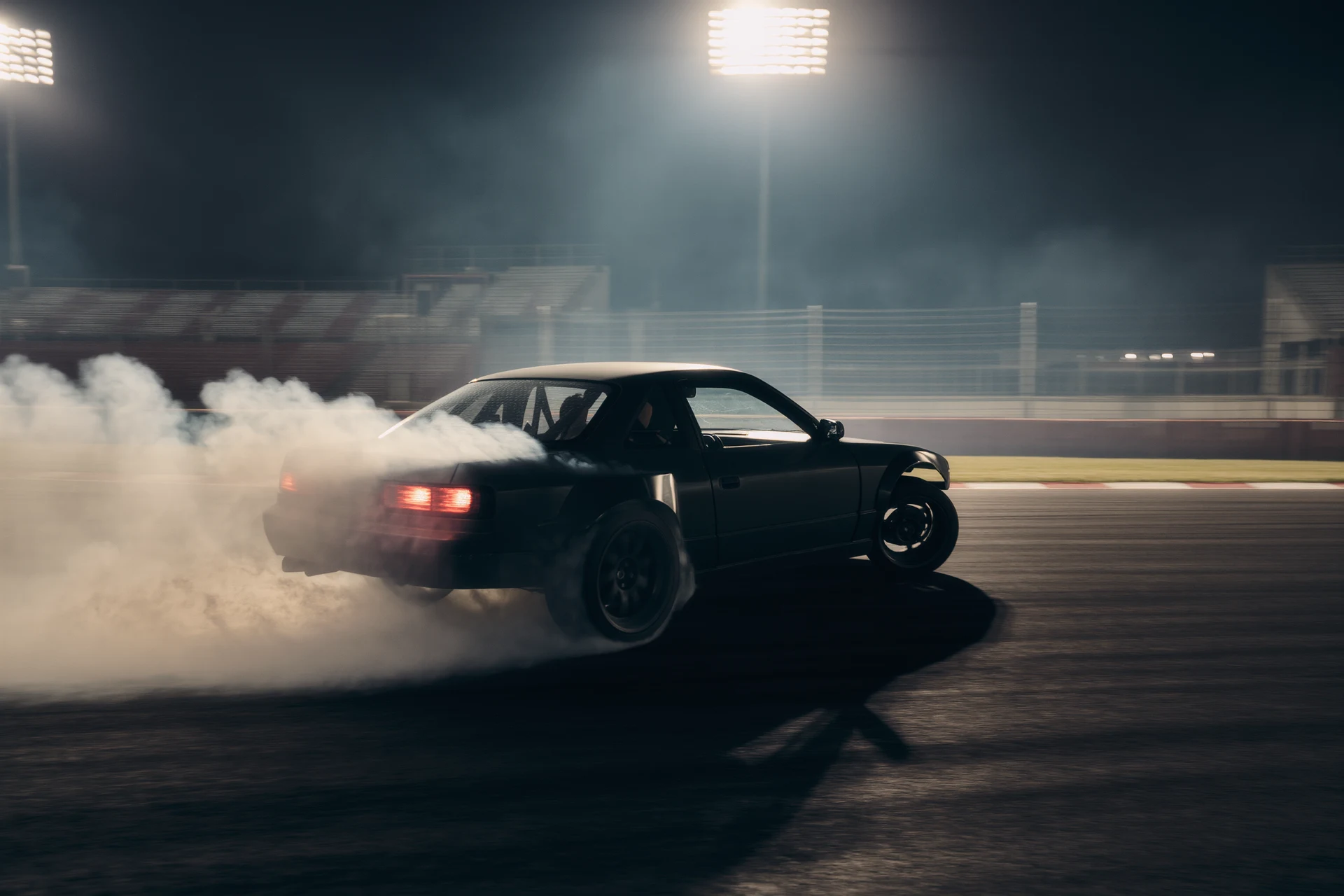
So, you want to nail those drifts, carve those corners, and control that slide like a pro, all from the comfort of your home? The secret to truly perfecting your drifting in a simulator boils down to one thing: an immersive setup that genuinely mimics the real-world experience, allowing you to build muscle memory and react instinctively. It’s not just about flashy gear; it’s about accurate feedback and realistic physics that translate to improved real-world skills.
Getting Started: Why a Simulator for Drifting?
Before we dive into the hardware, let’s quickly touch on why simulators are such a powerful tool for drifting. Unlike circuit racing where lines are often precise and repeatable, drifting demands constant, nuanced reactions to ever-changing conditions. A simulator allows for endless, consequence-free practice. You can experiment with different car setups, entry speeds, throttle inputs, and counter-steer angles without totaling your car or burning through expensive tires. It’s the ultimate proving ground for developing that delicate balance of aggression and control.
The Foundation: Your PC and Display
Let’s be honest, without a solid PC, even the best peripherals won’t deliver the experience you’re after.
Choosing the Right PC Hardware
For a truly immersive drifting experience, you need a PC that can consistently deliver high frame rates, especially with demanding titles and multiple monitors or VR.
- Processor (CPU): Aim for at least an Intel i7 (10th gen or newer) or an AMD Ryzen 7 (3000 series or newer). Drifting sims, especially those with complex physics, are often CPU-intensive. You want enough headroom to run the game smoothly and potentially stream or record your sessions without stuttering.
- Graphics Card (GPU): This is arguably the most crucial component for visual fidelity. An Nvidia RTX 3070/4070 or an AMD RX 6700XT/7700XT or better is recommended. If you’re planning on triple monitors or VR, push for an RTX 3080/4080 or RX 6800XT/7800XT or higher. The smoother the visuals, the easier it is to perceive car movement and react.
- RAM: 16GB of DDR4 RAM is the absolute minimum; 32GB is highly recommended for heavier sims and multitasking.
- Storage: An SSD (Solid State Drive) is non-negotiable for faster loading times. A 1TB NVMe drive is ideal for your operating system and primary simulator titles.
Display Options: Immersion Through Vision
Your visual setup directly impacts how much information you receive and how quickly you can process it.
- Single Monitor: A good starting point. Look for a 27-inch to 34-inch ultrawide monitor with a high refresh rate (144Hz or more) and low response time (1ms). An ultrawide can give you a bit more peripheral vision compared to a standard aspect ratio. Mount it close to your wheel for a more realistic field of view.
- Triple Monitors: This is where immersion really starts to take off. Three monitors allow for a much wider field of view, giving you crucial peripheral vision to see the car’s attitude and track limits more effectively. Ensure all three monitors are identical in size, resolution, and refresh rate for a seamless experience. Adjusting the angle correctly is key to making them feel like one continuous view.
- Virtual Reality (VR): The ultimate in immersion for some. VR puts you directly in the cockpit, offering unparalleled depth perception and a true sense of speed. However, it requires a powerful GPU, can cause motion sickness for some, and can be uncomfortable for long sessions. Try before you buy if possible. Popular choices include the Valve Index, Meta Quest 2/3 (PCVR link required), or HP Reverb G2. The sense of scale and being able to “look” through corners naturally is a huge advantage for drifting.
The Core Controls: Wheel, Pedals, and Shifter
This is where the magic happens: the tactile feedback and direct input that translate your intentions into action. Don’t skimp here; these are your primary interfaces with the virtual world.
The Wheel: Direct Drive for Drifting Precision
For drifting, the force feedback from your wheel is paramount. It tells you exactly what the car is doing, when it’s losing grip, and how close you are to spinning.
- Entry-Level (Not Recommended for Dedicated Drifters): Belt or gear-driven wheels like the Logitech G29/G920/G923 or Thrustmaster T300RS/TX. While decent for general racing, their weaker, less nuanced force feedback makes precise drift control more challenging. You’ll struggle to feel the subtle breakaway and catch the slide effectively.
- Mid-Range (Good Starting Point): Thrustmaster T-GT II, Fanatec CSL DD, or Moza R5/R9. These are direct-drive wheels, meaning the motor is directly connected to the wheel shaft, providing much stronger, faster, and more detailed force feedback. This directness is crucial for catching those quick slides and feeling the tire grip. The Fanatec CSL DD 8Nm and Moza R9 are particularly popular choices for their balance of power and price.
- High-End (The Gold Standard): Fanatec Podium series, Simucube, or VRS DirectForce Pro. These are incredibly powerful and precise direct-drive wheels, offering immense detail and real-world levels of torque. While expensive, they provide the most accurate representation of steering forces, allowing for incredibly granular control over your drifts. You’ll feel every nuance of the road surface and tire slip.
- Wheel Rim: For drifting, a round wheel with a comfortable diameter (320mm-350mm) is generally preferred. Look for a suede or leather finish for grip. Many direct-drive bases offer interchangeable rims, allowing you to choose one that feels right. A deep dish wheel can also be advantageous depending on your seating position.
Pedals: Load Cell is a Must
Your brake and throttle inputs are critical for weight transfer and maintaining the slide. Precision here is key.
- Throttle: You need fine control over your throttle input to manage tire slip. Potentiometer pedals can work, but higher-quality ones offer more resistance and a longer travel, allowing for greater modulation.
- Brake: This is where load cell pedals shine. Unlike potentiometer brakes that rely on travel distance, load cell pedals measure the force you apply. This allows for much more consistent and precise braking, essential for initiation and trail braking during drifts. Most serious sim racers consider load cell brakes a non-negotiable upgrade. Fanatec ClubSport V3, Heusinkveld Sprint, or Simagic P1000/P2000 are popular choices.
- Clutch: While not strictly necessary for every car or every drift technique, a clutch pedal with a realistic bite point is extremely useful for clutch kicks and initiating drifts. Many load cell pedal sets include a good quality clutch.
Shifter: H-Pattern for Authenticity
While paddle shifters might be faster in some racing scenarios, for drifting, an H-pattern shifter significantly enhances immersion and control, especially with older JDM drift cars.
- H-Pattern Shifter: Look for a sturdy shifter with a satisfying mechanical feel. The Thrustmaster TH8A is a popular entry-level option, while the Fanatec ClubSport Shifter SQ V 1.5 or the Cooler Master ControlPad GP27-F are excellent mid-range to high-end choices offering solid, realistic resistance and short throws. Being able to quickly grab the right gear adds immensely to the feeling of control.
- Handbrake: Absolutely essential for drifting. A dedicated analog handbrake allows for linear control, letting you vary the amount of lock-up. Look for USB handbrakes from brands like Heusinkveld, Fanatec, or cheaper options on Amazon/eBay. Ensure it has a sturdy mounting solution. A small, firm pull is often all it takes to initiate a drift. This is not something you want to map to a button.
Immersion & Comfort: Rig, Seat, and Audio
A dedicated rig and a comfortable seating position are crucial for consistency and long practice sessions. Audio feedback is also surprisingly important.
The Sim Rig: Stability is Key
A flimsy desk setup won’t cut it for strong direct-drive wheels. You need a stable platform that prevents flex and movement.
- Wheel Stand: A good starting point if space is limited. Look for sturdy options like the Playseat Challenge (portable) or Wheel Stand Pro/Next Level Racing Wheel Stand. Ensure it can handle the torque of your chosen direct-drive wheel.
- Aluminum Profile Rig (80/20): This is the gold standard for stability and adjustability. Brands like Sim-Lab, Trak Racer, and Next Level Racing offer excellent options. These rigs are incredibly stiff, preventing any flex from your wheel or pedals, which means all the force feedback is transmitted directly to you. They are also highly customizable, allowing you to fine-tune your seating position, monitor placement, and peripheral mounting points. This level of rigidity ensures consistent feedback and allows you to put maximum force into your pedals without worrying about things shifting.
The Seat: Comfort and Connection
Your seating position impacts comfort, endurance, and how connected you feel to the virtual car.
- Gaming Chair (Not Recommended): While comfortable for general use, gaming chairs often lack the support and rigidity needed for aggressive sim racing, especially under braking. They tend to recline too much and don’t provide a firm base for your body.
- Dedicated Sim Seat: Look for a comfortable bucket seat or a reclining racing seat. Many sim rig manufacturers offer seats specifically designed for racing. A firm, supportive seat helps you feel the car’s movements through your body, adding another layer of feedback. Adjustability is key to finding your ideal driving posture. A good seat also ensures that your spine is aligned correctly, preventing fatigue during long sessions.
Audio: Sound of the Slide
Don’t underestimate the power of good audio. It’s not just about engine noise; it’s about tire squeal, chassis flex, and impact sounds.
- Headphones: High-quality closed-back headphones provide excellent immersion by blocking out external distractions and delivering crisp, detailed audio. You’ll hear the subtle tire scrub and the engine pitch dropping as you lose grip.
- Studio Monitors/Speakers: If you prefer speakers, a good 2.1 or 5.1 system placed strategically can provide a convincing soundscape. However, headphones generally offer superior spatial awareness and detail.
Software and Setup: The Hidden Power
Even with top-tier hardware, the right software and configuration are critical to translating real-world physics into a believable simulator experience.
Choosing Your Drift Simulator
Not all racing sims are created equal when it comes to drifting physics.
- Assetto Corsa (AC): This is widely considered the go-to simulator for drifting. Its highly customizable physics engine, vast modding community (offering countless drift cars and tracks), and excellent force feedback implementation make it unparalleled for drift enthusiasts. Look for specific “drift tune” cars and custom physics updates.
- Assetto Corsa Competizione (ACC): While a fantastic GT3 racing simulator, its focus on specific GT cars and lack of dedicated drift content make it unsuitable for serious drift practice.
- Forza Horizon/Motorsport: More arcade-oriented. While fun, the physics are generally less realistic and won’t translate as well to real-world techniques. Good for casual fun, but not for serious skill building.
- BeamNG.drive: Offers incredibly detailed soft-body physics, which can be interesting for understanding vehicle dynamics during crashes or extreme maneuvers. While it has cars that can drift, it’s not primarily a dedicated drift sim in the same vein as AC.
- iracing: Known for its hyper-realistic physics and competitive online racing. While it has some road cars that can be drifted, its focus isn’t primarily on dedicated drift content, and it can be expensive. However, some of its rallycross cars can be fun for power slides.
Tweaking Force Feedback (FFB)
This is where many beginners get lost, but it’s crucial for realistic feel.
- Manufacturer Drivers: Always install the latest drivers for your wheel, pedals, and shifter.
- In-Game Settings: Within Assetto Corsa (and other sims), spend time adjusting the FFB settings. Look for guides specific to your wheel and the game. Key settings include gain, damping, filter, and curb effects.
- Custom FFB Files: For Assetto Corsa, many community-created custom FFB files (e.g. from Content Manager) can significantly improve the feel of specific cars or even the overall FFB algorithm. These often focus on making the wheel lighter when grip is lost and heavier on grip, which is vital for catching slides. A good FFB setup will make it clear when the rear tires are starting to break away and when they regain traction.
Controller Mapping and Sensitivity
Mapping your controls logically and adjusting sensitivity can have a huge impact.
- Intuitive Mapping: Ensure your handbrake, gear changes, and essential functions (like wipers, headlights if desired) are easily accessible.
- Steering Linearity/Gamma: In some sims, you can adjust how steering input translates to wheel angle. For drifting, a linear response is usually best.
- Pedal Curves: Adjusting pedal curves (especially for throttle) can help with finer modulation, making it easier to hold a consistent drift without over-revving or losing momentum.
The Ecosystem: Software & Mods for Advanced Control
Beyond the core game, there’s a whole world of tools to enhance your drifting experience, especially with Assetto Corsa.
Content Manager and Custom Shaders Patch (CSP)
These are absolute must-haves for Assetto Corsa.
- Content Manager (CM): A third-party launcher for AC that vastly improves usability, mod management, and settings adjustments. It’s practically essential. It makes installing custom cars, tracks, and shaders incredibly simple.
- Custom Shaders Patch (CSP): A project that extends AC’s graphics capabilities, adds new features (like rain, improved lighting, enhanced physics), and even allows for dynamic tire flex and smoke effects, all of which contribute to a more realistic drifting experience. You’ll likely need the paid “preview” version for the latest features.
Car and Track Mods
The AC modding community is a goldmine for drifters.
- High-Quality Drift Cars: Seek out cars specifically designed and tuned for drifting. Many modders spend countless hours perfecting the physics and feel of these vehicles. Look for popular drift packs (e.g. Legion, WDTS, Touge Union, various Japanese car packs like those from World Drift Tour) that offer a variety of chassis and engine types.
- Drift Tracks: From iconic real-world circuits with drift sections to purpose-built touge roads and open-world drift playgrounds. Having a variety of tracks to practice on will help you refine different techniques and adapt to various layouts.
Overlays and Telemetry
While not strictly necessary, these can provide valuable feedback for self-improvement.
- Custom Overlays: Content Manager allows for custom in-game overlays that can display things like steering angle, throttle/brake input, G-forces, tire temperatures, and lap times (if you care about those in drifting!). Seeing your real-time inputs can help you understand what you’re doing right or wrong.
- Telemetry Tools: More advanced users might explore telemetry logging tools to analyze their inputs and car behavior in incredible detail after a session. This is common in competitive racing but can also highlight inconsistencies in drift technique.
Wrapping Up: Practice, Patience, and Passion
Building the ultimate drift simulator setup is an investment, both financially and in time. But with the right hardware, finely tuned software, and a commitment to practice, you’ll be amazed at how quickly your virtual (and potentially real-world) drifting skills improve. It’s about creating an environment where you receive accurate, consistent feedback, allowing you to learn the delicate dance of throttle, steering, and counter-steer.
Remember, the goal isn’t just to buy expensive gear; it’s to build a system that allows you to feel connected to the car, anticipate its movements, and react instinctively. Happy drifting!
FAQs
What is a drift simulator setup?
A drift simulator setup is a system that replicates the experience of drifting in a car through the use of specialized hardware and software. It typically includes a steering wheel, pedals, and a motion platform to simulate the feeling of driving a car at high speeds and performing drifts.What components are typically included in a drift simulator setup?
A drift simulator setup usually includes a high-quality steering wheel, pedals for acceleration and braking, a motion platform or seat mover, and a display screen or virtual reality headset for visual immersion. Some setups may also include additional peripherals such as handbrakes and shifters.How does a drift simulator setup work?
The steering wheel, pedals, and motion platform of a drift simulator setup are connected to a computer running specialized simulation software. The software accurately models the physics of drifting and sends feedback to the hardware components, allowing the user to feel the sensation of sliding and controlling the car in a realistic manner.What are the benefits of using a drift simulator setup?
A drift simulator setup provides a safe and controlled environment for practicing and improving drifting skills without the risks associated with real-world driving. It also allows users to experience the thrill of drifting in various virtual environments and cars, making it a valuable training tool for aspiring drifters.What are some popular drift simulator setups available in the market?
Some popular drift simulator setups include the Fanatec CSL Elite Racing Wheel, Thrustmaster T300 RS GT, and Logitech G920 Driving Force. These setups are often compatible with a wide range of racing and drifting simulation games, offering users a versatile and immersive experience.Why is a direct-drive wheel recommended for drifting?
How does a simulator help improve real drifting skills?
What pedals should drifters use?
More from Drifting
Virtual Drifting: A Thrilling Experience
Virtual drifting is, in short, a digital simulation of the high-skill, car-control sport of drifting. It’s about sliding a car through a turn, m…
Mastering Drifts: Professional Simulator Experience
So, you want to get good at drifting in a simulator, huh? The short answer is: it takes a lot of practice, the right equipment, and a solid understand…
Mastering the Art of Sim Racing Drifting
Let’s dive into the world of sim racing drifting. If you’re wondering how to actually drift in a simulator, it boils down to a controlled …