Maximizing Control: Using Handbrake for Sim Racing
So, you’re wondering how to really get a grip on your sim racing experience, particularly when it comes to controlling your virtual car? Well, a properly configured handbrake…
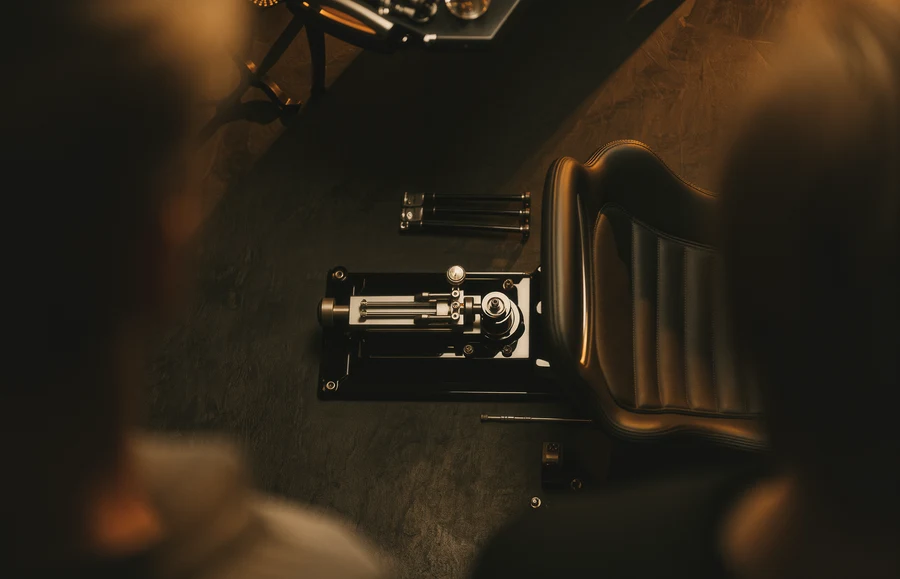
So, you’re wondering how to really get a grip on your sim racing experience, particularly when it comes to controlling your virtual car? Well, a properly configured handbrake can make a world of difference. It’s not just for drifting, a handbrake is a crucial tool for fine-tuning corner entry, saving a spin, or even gaining a tactical advantage in various racing situations. Think of it as another limb for your virtual driving prowess, and Handbrake, the software, is your wizard for making it all happen seamlessly.
Understanding Handbrake in Sim Racing
Let’s clear up any confusion right away. When we talk about “Handbrake” in sim racing, we’re referring to the physical peripheral you use in your setup, like a standalone device that mimics a real car’s handbrake lever. This isn’t the video encoding software of the same name. We’re talking about the tactile, interactive piece of hardware that transmits your input to the game.
Many modern handbrakes for sim racing are USB devices. This means they are essentially plug-and-play in many cases. The operating system (Windows, typically, for sim racing) recognizes them as a joystick or game controller input. This is where the magic begins, as games can then be configured to use this input.
Why Your Sim Racing Handbrake Matters
Beyond a cool factor or emulating drift kings, a handbrake offers practical advantages across many sim racing disciplines. It’s not a one-trick pony.
Cornering Precision
Imagine approaching a tight hairpin. Instead of just braking hard, you can lightly feather the handbrake mid-corner to rotate the car more precisely. This is especially useful in front-wheel-drive cars that might understeer, or in rally stages where you need to flick the car around quickly. It helps you find the optimal line and carry more speed through the corner.
Recovering from Mistakes
We all make mistakes. Sometimes you overcook a corner, or another car nudges you. A quick jab of the handbrake can prevent a full spin, helping you gather the car and rejoin the race with minimal time loss. It’s an emergency brake you can actually use to your advantage.
Tactical Advantages
In some racing disciplines, like rallycross or open-wheel racing on certain circuits, a handbrake can be used to set up overtakes or defend positions. A precise handbrake flick can allow you to cut back on an opponent or tighten your line defensively. It’s another arrow in your competitive quiver.
Choosing Your Sim Racing Handbrake
Alright, so you’re convinced. Now, what kind of handbrake should you get? There’s a wide range out there, from budget-friendly options to high-end, realistic setups.
Entry-Level Options
These often involve modifying an existing joystick or game controller. Some people take an old flight stick and simply use one of its axes as a handbrake. Dedicated entry-level handbrakes are typically simpler in construction, often using potentiometers for input. They might not have the most realistic feel but get the job done for a modest price. Look for good build quality and a stable mounting solution.
Mid-Range Handbrakes
Moving up, you’ll find handbrakes that offer a more robust feel and often utilize Hall effect sensors or load cells. Hall effect sensors are contactless, meaning less wear and tear, and provide smooth, precise input. Load cells, typically found in higher-end sim pedals, offer a more progressive and realistic feel, with the input being proportional to the force you apply rather than just the travel distance. These often come with adjustable resistance and more durable materials.
High-End and Hydraulic Handbrakes
At the top, you have handbrakes that truly replicate the feel of a real car. These often feature hydraulic systems, providing extremely realistic and progressive feedback. They are built with high-quality metals, offer extensive adjustability, and are designed for serious sim racers who demand the utmost in immersion and performance. Be prepared for a significant investment.
Mounting Considerations
No matter which handbrake you choose, how you mount it is crucial. It needs to be rock solid. A wobbly handbrake will make precise inputs impossible and degrade the overall experience.
Desk Clamps
Many entry and mid-range handbrakes come with desk clamps. Ensure the clamp is sturdy and has a good grip. You don’t want your handbrake sliding around during an intense race.
Wheel Stand and Cockpit Mounts
For a more permanent and stable setup, a wheel stand or dedicated sim racing cockpit often provides mounting points for a handbrake. This is the ideal solution for maximum stability and ergonomic placement. Make sure your chosen handbrake is compatible with your rig’s mounting options.
DIY Solutions
For those on a budget or with specific needs, DIY mounting solutions can work. Just prioritize stability and strength. Wood, aluminum profiles, or even strong acrylic can be used, but ensure it can withstand the forces you’ll be applying.
Setting Up Your Sim Racing Handbrake
Once you have your handbrake, getting it to talk to your games is the next step. This usually involves a few common processes.
Connecting to Your PC
Most handbrakes connect via USB. Simply plug it into an available USB port on your computer.
Driver Installation and Calibration
Windows usually recognizes generic USB game controllers automatically. However, some handbrakes come with their own drivers or calibration software.
Checking in Game Controllers (Windows)
To verify your handbrake is recognized:
- Press
Windows Key + Rto open the Run dialog. - Type
joy.cpland press Enter. - This opens the Game Controllers window. Your handbrake should appear in the list.
- Select your handbrake and click
Properties. You should see a test tab where you can move the handbrake lever and see the corresponding axis move. This confirms Windows is receiving input.
Manufacturer-Specific Software
Some high-end handbrakes have their own configuration tools. These might allow for fine-tuning dead zones, linearity, and even force feedback settings if applicable. Always check the manufacturer’s website for drivers and software.
In-Game Configuration
This is where you tell your sim racing title to use your handbrake. The process varies slightly between games, but the general steps are similar.
Assigning the Handbrake Axis
- Go to the
ControlsorOptionsmenu in your chosen sim racing game. - Look for
Key Bindings,Input, orController Settings. - Find the
HandbrakeorParking Brakeoption. - Select
AssignorBindand then pull your physical handbrake lever. The game should detect the input axis. - Usually, you’ll need to confirm the assignment.
Dead Zones and Linearity
Many games and handbrake software allow you to adjust dead zones and linearity curves.
Dead Zones
A dead zone is an area at the beginning or end of an axis where input isn’t registered.
- Minimum Dead Zone: Useful if your handbrake’s sensor isn’t perfectly zeroed when fully released. This prevents unintended slight handbrake application.
- Maximum Dead Zone: Ensures that even if you don’t pull the handbrake all the way, it registers as 100% input when the lever is near its limit. This can be less critical for a handbrake but is good to be aware of.
Linearity/Sensitivity
This determines how the game interprets the physical movement of your handbrake.
- Linear (1:1): The input accurately reflects the physical lever’s position. This is often preferred for precise control.
- Progressive/Exponential: The initial part of the lever’s travel might have less effect, with the effect increasing more rapidly as you pull it further. This can make it easier to apply light handbrake inputs without overdoing it.
- De-gressive/Inverse: The opposite of progressive, where early travel has more effect. Less common for handbrakes.
Experiment with these settings to find what feels most natural and controllable for you.
Mastering Handbrake Techniques in Sim Racing
Having a handbrake is one thing; using it effectively is another. It takes practice and understanding of vehicle dynamics.
Trail Braking with Handbrake
This is an advanced technique where you apply the handbrake lightly while still braking and turning. It helps to rotate the car into the corner and can prevent understeer. It requires very fine control and understanding of the car’s balance.
Initiating Drifts and Slides
While not every sim racer aims to drift, knowing how to initiate a controlled slide can be useful for rally, rallycross, and even in some circuit racing situations for sharp turns or recovering from oversteer.
- Approach the corner, brake to reduce speed.
- Turn into the corner.
- Lightly apply the handbrake while feathering the throttle.
- Countersteer to catch the slide.
This is a delicate balance of inputs and takes a lot of practice to do smoothly.
Handbrake Turns for Rally and Dirt Racing
In loose surface racing, handbrake turns are invaluable for pivot-like cornering.
- Approach the corner at a suitable speed.
- Turn the steering wheel sharply into the corner.
- Simultaneously pull the handbrake firmly but briefly.
- As the car rotates, release the handbrake, apply throttle, and countersteer to exit the corner cleanly. The key is to be quick and precise with the handbrake application. Too long, and you’ll spin out; too short, and it won’t rotate enough.
Emergency Maneuvers
As mentioned before, a quick handbrake jab can save a spin. If the rear of your car starts to come around unexpectedly:
- Quickly apply a short, firm pull of the handbrake.
- Immediately countersteer into the slide.
- Release the handbrake as the car straightens.
This needs to be instinctual, so practicing in a safe environment (like an open track in-game) is crucial.
Common Handbrake Issues and Troubleshooting
Even with the best hardware, you might run into kinks. Here are some common problems and how to tackle them.
Handbrake Not Recognized by PC
- Check USB Connection: Ensure it’s firmly plugged into a working USB port. Try a different port.
- Driver Issues: Check Device Manager (search
devmgmt.mscin Windows search). Look for any unknown devices or devices with error symbols. Reinstall or update drivers through the manufacturer’s website. - Another Device Conflict: Sometimes other USB devices can cause conflicts. Try unplugging other peripherals temporarily to isolate the issue.
- USB Hub Issues: If using a USB hub, try plugging directly into the PC. Some hubs don’t provide enough power or have latency issues.
Handbrake Not Registering Input in Game
- Game Controller Properties: Verify in
joy.cplthat Windows is receiving input from the handbrake. If not, the issue is likely with the device or driver. - Correct Axis Assignment: Double-check that you’ve assigned the handbrake to the correct axis in the game’s control settings. It’s easy to accidentally assign a button instead of an axis, or the wrong axis.
- In-Game Dead Zones: Make sure your in-game dead zone settings aren’t preventing input. A high minimum dead zone could mean the game isn’t registering inputs until you pull the handbrake a significant amount.
- Conflicting Bindings: Check if another control (e.g. a button on your wheel) is also bound to the handbrake function, which can sometimes interfere.
Inconsistent or Jumpy Input
- Potentiometer Wear: If your handbrake uses a potentiometer, it can wear out over time, leading to erratic input. This is more common on older or cheaper devices.
- Dust and Debris: Dirt or dust can interfere with sensors. If comfortable, you might try carefully cleaning the sensor area (refer to manufacturer guidelines).
- Calibration: Recalibrate the handbrake using any provided software or Windows’ built-in calibration (
joy.cpl -> Properties -> Settings -> Calibrate). - Loose Connections: Check for any loose internal wiring if possible (again, only do this if you know what you’re doing and it won’t void warranty).
Squeaks or Grinding Noises
- Lubrication: Moving parts can develop squeaks. A small amount of silicone grease (avoid petroleum-based lubricants on plastics) on pivot points can often resolve this. Check manufacturer recommendations.
- Tightening Fasteners: Loose screws or bolts can cause rattling or grinding. Carefully tighten any accessible fasteners.
Final Thoughts on Your Sim Racing Handbrake and Its Configuration
A handbrake is more than just a novelty; it’s a performance enhancer and an immersion booster. It opens up new avenues for car control and tactical play, especially in rally, drift, and even some circuit racing scenarios. Don’t be afraid to experiment with different settings, both in your handbrake’s software (if it has any) and within your games. Practice extensively in a low-pressure environment before taking your newly found handbrake skills to an intense online race.
The journey to maximizing your control with a handbrake is all about understanding the hardware, configuring it correctly, and then dedicating time to practice the techniques. It’s a rewarding experience that can genuinely elevate your sim racing game. So, go ahead, get that handbrake, and start sliding your way to faster lap times and more controlled maneuvers!
FAQs
What is a handbrake for Sim Racing?
A handbrake for Sim Racing is a peripheral device that simulates the function of a handbrake in a real car. It is used by sim racers to add an extra level of realism and control to their racing simulations.How does a handbrake for Sim Racing work?
A handbrake for Sim Racing typically connects to a racing wheel or racing simulator setup and can be used to control the braking force of the rear wheels in a racing simulation. It provides a more immersive experience for the user by allowing them to perform realistic drifting and rally driving maneuvers.What are the benefits of using a handbrake for Sim Racing?
Using a handbrake for Sim Racing can enhance the overall experience of racing simulations by providing more precise control over braking and allowing for more realistic driving techniques. It can also improve the user’s performance in certain types of racing scenarios, such as rally or drift racing.How do I choose the right handbrake for Sim Racing?
When choosing a handbrake for Sim Racing, it’s important to consider factors such as compatibility with your existing racing setup, build quality, and the level of adjustability and customization it offers. It’s also important to consider the type of racing simulations you’ll be using it for, as different handbrakes may be better suited for specific types of racing.Are there any drawbacks to using a handbrake for Sim Racing?
While a handbrake can enhance the realism and control of racing simulations, it may not be necessary for all types of racing games or setups. Additionally, some handbrakes may require additional setup and calibration, and they may not be compatible with all racing wheels or simulators.More from Equipment & Gear
Sim Racing PC Build Guide
Sim racing PC build guide: why the AMD Ryzen 7 7800X3D wins on single-thread cache, how to match your GPU to your display, plus four complete budget b…
Sim Racing VR vs Triples Guide
VR vs triple monitors for sim racing in 2026: compare Quest 3, Pimax Crystal Light and triple 1440p setups on field of view, depth, comfort, cost and …
Sim Racing Motion Platforms Guide
Sim racing motion platforms guide: compare seat movers, chassis movers, D-BOX, PT Actuator, and bass shakers, with prices from $150 to $20,000-plus an…