Sim Racing PC Build Guide
Sim racing PC build guide: why the AMD Ryzen 7 7800X3D wins on single-thread cache, how to match your GPU to your display, plus four complete budget builds.…
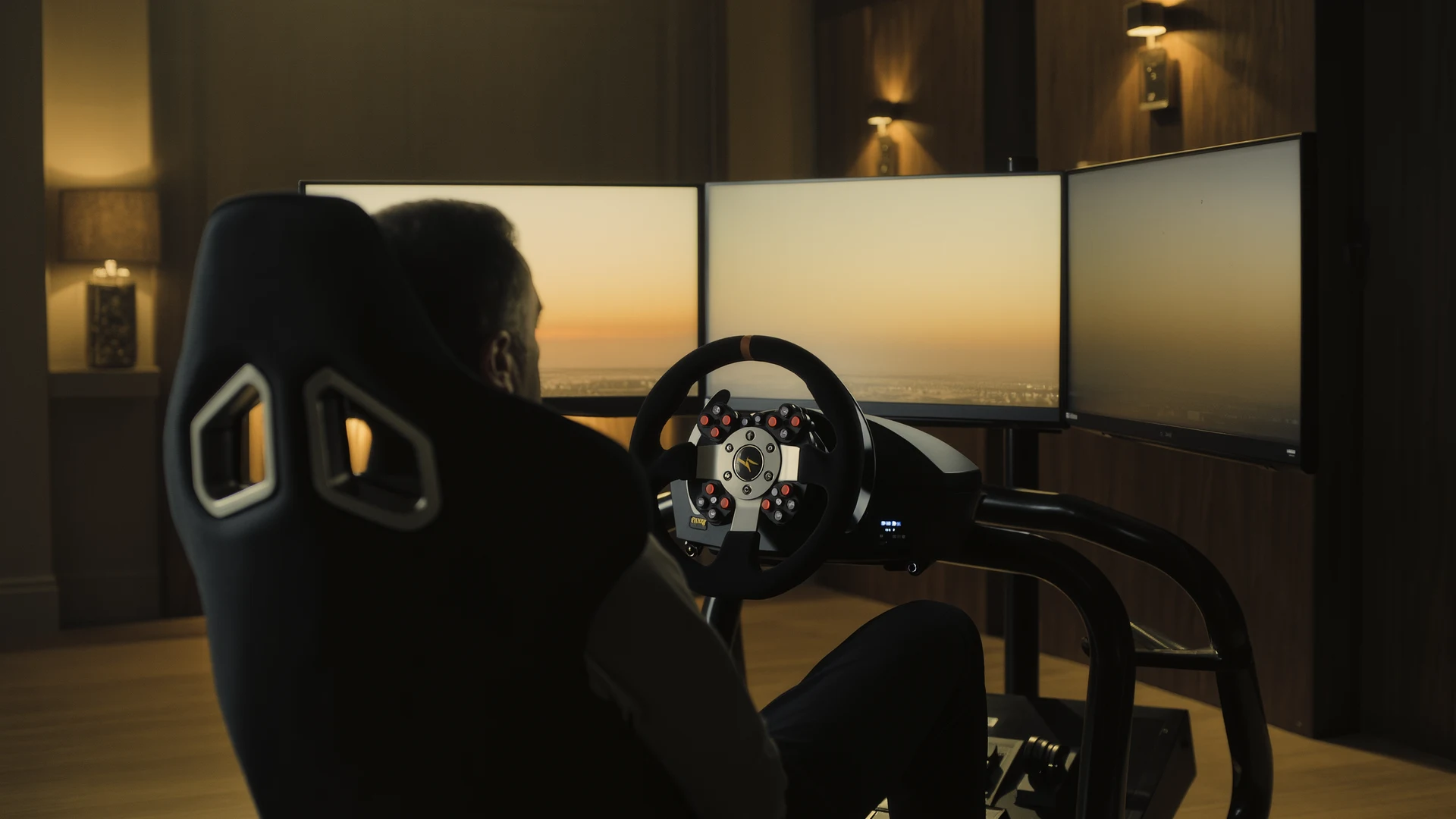
For a sim racing PC, prioritize a high single-thread, large-cache CPU like the AMD Ryzen 7 7800X3D, then match the GPU to your display configuration.
Key Takeaways
- Sim racing physics engines are predominantly single-threaded, so single-core clock speed, instructions-per-clock, and CPU cache matter far more than high core counts.
- The AMD Ryzen 7 7800X3D at $399 is the sim racing CPU champion, using 64 MB of stacked 3D V-Cache (96 MB total L3) to deliver 15 to 25 percent gains over the Ryzen 7 7700X in iRacing, ACC, and rFactor 2.
- GPU choice scales with display: an RTX 4070 Super or RX 7800 XT suits single 1440p, an RTX 4070 Ti Super 16 GB is the minimum for triple 1440p, and only the RTX 4090 handles triple 4K.
- Budget builds can use the Intel Core i5-14600K at $289, which delivers roughly 95 percent of the 7800X3D's sim racing performance for $110 less, freeing money for a better GPU.
- 32 GB of DDR5-6000 CL30 RAM and a 2 TB NVMe PCIe 4.0 SSD (Samsung 990 Pro, WD Black SN850X, or Crucial T500) are recommended to run the full sim racing software ecosystem and multi-simulator installs.
- Windows 11 is recommended, and key tweaks include disabling Game Mode, setting the High Performance power plan, disabling Hardware-Accelerated GPU Scheduling, and capping frame rate three FPS below the display refresh.
- RTX 40-series 12VHPWR connectors must be fully seated until an audible click to avoid documented melting and fire risk under sim racing's sustained GPU loads.
Building a PC for Sim Racing: What Actually Matters and Where to Spend Your Budget
Sim racing imposes a unique and unusually demanding computational workload on PC hardware, one that differs fundamentally from the workloads generated by the first-person shooters, action-adventure titles, and role-playing games that dominate the mainstream gaming market and consequently dominate the focus of most PC hardware reviews and buying guides. In a typical competitive first-person shooter, the graphics processing unit is the overwhelmingly dominant performance bottleneck, the central processing unit’s role is relatively modest, and any modern mid-range CPU will keep pace with even a top-tier GPU. In sim racing, the computational demands are fundamentally different and more broadly distributed. A racing simulator is simultaneously executing a real-time, high-frequency vehicle dynamics simulation, computing tire deformation, suspension kinematics, aerodynamic load transfer, and drivetrain inertia at physics update rates ranging from 60 Hertz in iRacing to 400 Hertz in rFactor 2 and Assetto Corsa Competizione, while also rendering a high-speed, visually complex environment with detailed vehicle models, dynamic lighting and shadowing, particle effects, and, in many configurations, a triple-monitor panoramic display or a high-resolution virtual reality headset. This dual computational burden means that both the CPU and the GPU are critically important, but for different reasons and in different proportions than in general-purpose gaming. Understanding which components actually matter for sim racing performance, as opposed to which components are marketed most aggressively or benchmarked most prominently in reviews, is the key to assembling a PC that delivers excellent performance without wasting money on hardware whose capabilities your simulators will never utilize.
The Central Processing Unit: Why Single-Thread Performance Is Everything
Sim racing physics engines are, with very few and very limited exceptions, predominantly single-threaded applications. The tire model, the mathematical representation of how a complex composite structure deforms, heats, grips, wears, and responds to load, runs on one physical CPU core. The suspension model, the aerodynamic model, the drivetrain model, and the force feedback signal generation pipeline are all executed sequentially on that same primary physics thread. This fundamental software architecture, which is common across iRacing, Assetto Corsa Competizione, rFactor 2, Automobilista 2, and essentially every consumer racing simulator, means that the CPU characteristic that most directly determines simulation performance is single-core clock speed and instructions-per-clock throughput, the raw speed at which one individual processor core can execute instructions. A six-core CPU with all six cores running at a sustained 5.5 gigahertz will consistently and substantially outperform a sixteen-core CPU running at 4.5 gigahertz in sim racing workloads, every time and in every simulator, because the physics thread, which is the primary performance bottleneck, can only utilize one core regardless of how many additional cores sit idle.
CPU Recommendations for Sim Racing in 2026
The AMD Ryzen 7 7800X3D at $399 is the sim racing CPU champion and the default recommendation for any dedicated sim racing PC build at any budget above approximately $1,200 total. Its defining technological advantage is AMD’s 3D V-Cache, a vertically stacked layer of 64 megabytes of additional L3 cache memory bonded directly on top of the CPU compute die, bringing the total L3 cache to 96 megabytes on a single core complex die. Simulation workloads are extraordinarily cache-sensitive: the physics engine continuously reads and writes to a working dataset, vehicle state variables, tire model lookup tables, track surface data, that fits almost entirely within the 7800X3D’s enormous L3 cache, eliminating the need for the CPU to access the dramatically slower system RAM across the memory bus. In iRacing, ACC, and rFactor 2, the 7800X3D delivers measured performance improvements of fifteen to twenty-five percent over the identically clocked but non-3D-cache Ryzen 7 7700X. It operates at a modest 120-watt thermal design power, runs cool enough to be cooled quietly by a mid-range air cooler, and installs in affordable B650-chipset AM5-socket motherboards. This is the CPU that the sim racing community, with remarkable unanimity, recommends.
The AMD Ryzen 9 7950X3D at $649 is the appropriate choice for users who stream their racing, edit and render video content, or perform other multi-threaded productivity workloads alongside sim racing. Its dual-CCD architecture places the 3D V-Cache on one core complex die while the second CCD operates without the cache, and Windows thread scheduling directs the simulation workload to the V-Cache CCD. The Intel Core i7-14700K at $379 provides Intel’s best sim racing performance with twenty cores, eight high-performance P-cores boosting to 5.6 gigahertz and twelve efficiency E-cores, delivering single-thread performance slightly behind the 7800X3D in simulation workloads but superior multi-threaded throughput for content creation. The Intel Core i5-14600K at $289 is the budget champion: fourteen cores with six P-cores boosting to 5.3 gigahertz, providing approximately ninety-five percent of the 7800X3D’s sim racing performance for $110 less, making it the ideal choice for a pure sim racing PC where every dollar saved on the CPU can be redirected toward a better GPU.
Processors to actively avoid for sim racing: the AMD Ryzen 9 7950X without 3D V-Cache, whose dual-CCD architecture introduces cross-CCD communication latency that penalizes simulation workloads despite the high core count, the cheaper 7800X3D is measurably faster for sim racing. The Intel Core i9-14900K, whose additional efficiency cores provide zero benefit to sim racing while its extreme power and thermal demands require expensive liquid cooling and a premium motherboard.
The Graphics Processing Unit: Pixels, Frame Rate, and VR
GPU requirements for sim racing scale dramatically and non-linearly with the chosen display configuration, making display choice the single most important factor in GPU selection.
For a single 1440p monitor at 165 Hertz, an NVIDIA GeForce RTX 4070 Super at $599 or AMD Radeon RX 7800 XT at approximately $499 provides more than sufficient performance, delivering 120-plus frames per second in all major simulators at high to maximum settings.
For triple 1440p monitors: a combined resolution of 7,680 by 1,440 pixels, representing approximately 11.5 million total pixels, an NVIDIA GeForce RTX 4070 Ti Super with 16 gigabytes of VRAM at $799 is the practical minimum. The 16-gigabyte VRAM capacity is critically important: triple 1440p in ACC with high-resolution textures, volumetric clouds, and a full grid of cars can consume 10 to 12 gigabytes of VRAM. The RTX 4080 Super at $999 provides the additional GPU compute headroom to maintain 100-plus frames per second in demanding conditions including ACC with rain, night racing with dynamic headlights, and full-grid race starts.
For triple 4K monitors, a combined 11,520 by 2,160 pixels, the NVIDIA GeForce RTX 4090 at $1,599 and above is the only consumer GPU currently capable of maintaining playable frame rates, and even the 4090 will not sustain 60 frames per second in demanding conditions with maximum settings. Triple 4K is currently an aspirational configuration that demands more GPU performance than any single consumer graphics card can deliver.
For virtual reality: the Meta Quest 3 at full render resolution or the Pimax Crystal Light at native panel resolution, an RTX 4070 Ti Super at $799 is the practical minimum, and an RTX 4080 Super at $999 is strongly recommended. VR imposes uniquely demanding performance requirements: the frame rate must precisely match the headset’s refresh rate with zero dropped frames and zero frame-time variance, because any stutter, hitch, or frame-rate inconsistency in VR directly induces motion sickness through the resulting mismatch between visual motion and vestibular sensation. NVIDIA GPUs hold a meaningful advantage over AMD in VR sim racing due to NVIDIA’s Single Pass Stereo technology, which renders both eye views in a single geometry pass rather than two separate passes, providing a fifteen to twenty percent performance uplift in iRacing specifically. In ACC, NVIDIA’s DLSS upscaling technology provides superior image quality compared to AMD’s FSR alternative.
Memory, Storage, Motherboard, and Power Supply: The Supporting Cast
System RAM: 32 gigabytes of DDR5 memory operating at 6,000 mega-transfers per second with CAS latency of 30 cycles, commonly notated as DDR5-6000 CL30, at a current cost of approximately $100 to $120 for a two-module kit. Sixteen gigabytes is technically sufficient for running any individual simulator, but it becomes a constraint when simultaneously operating the typical sim racing software ecosystem: the simulator itself, Crew Chief spotter, SimHub for dashboards and haptic transducers, Trading Paints livery manager, VRS Telemetry logger, a web browser with multiple open tabs for reference, and Discord for team communication. 32 gigabytes eliminates any possibility of the system resorting to the page file on the storage drive, which causes catastrophic frame-time spikes. DDR5-6000 CL30 represents the optimal balance of frequency, latency, stability, and cost for both AMD AM5 and Intel LGA 1700 platforms.
Storage: A 2-terabyte NVMe PCI Express 4.0 solid-state drive at approximately $110 to $140, such as the Samsung 990 Pro, WD Black SN850X, or Crucial T500. A full iRacing installation with all owned content can occupy 100 gigabytes or more. ACC with all downloadable content reaches approximately 50 gigabytes. A robustly modded Assetto Corsa installation with Content Manager, Custom Shaders Patch, SOL/Pure, and hundreds of car and track mods easily surpasses 200 gigabytes. Multiple additional simulators, rFactor 2, Automobilista 2, RaceRoom, the F1 series, collectively consume several hundred gigabytes more. A 1-terabyte drive is technically functional but leaves minimal headroom; 2 terabytes provides comfortable breathing room for a multi-simulator installation.
Motherboard: For AMD AM5 systems, a B650-chipset board such as the ASRock B650 PG Lightning at $169 or the MSI MAG B650 Tomahawk at $199 provides PCI Express 5.0 support for the primary GPU slot, three M.2 NVMe slots for storage expansion, 2.5-gigabit Ethernet, and robust voltage regulator modules fully capable of powering any AM5 CPU including the 7800X3D and 7950X3D. For Intel LGA 1700 systems, a Z790-chipset board such as the MSI Z790 Tomahawk at $259 provides CPU overclocking capability if desired, though the practical performance gains from overclocking modern CPUs are minimal.
Power supply: An 850-watt, 80 Plus Gold certified unit at approximately $120 to $140, such as the Corsair RM850x 2023 revision, Seasonic Focus GX-850, or be quiet! Pure Power 12 M 850W. For an RTX 4090-based build, increase to 1,000 watts. Ensure the power supply includes a native 12VHPWR cable compatible with RTX 40-series GPUs, the adapter dongles supplied with the graphics cards are bulky, unsightly, and introduce an additional potential failure point in the power delivery chain.
Complete System Builds at Representative Budget Levels
Entry-Level Build: Single 1080p/1440p Monitor at Approximately $1,100
| CPU | AMD Ryzen 5 7600 | $199 |
| GPU | NVIDIA RTX 4060 Ti 8 GB | $379 |
| Motherboard | ASRock B650M-HDV/M.2 | $129 |
| RAM | 32 GB DDR5-6000 CL30 | $105 |
| Storage | 1 TB NVMe PCIe 4.0 | $65 |
| Power Supply | 650 W 80+ Gold | $80 |
| Case | Corsair 4000D Airflow | $89 |
| CPU Cooler | Thermalright Peerless Assassin 120 | $38 |
| Total | $1,084 |
Mid-Range Build: Triple 1080p or VR at Medium Settings at Approximately $1,650
| CPU | AMD Ryzen 7 7800X3D | $399 |
| GPU | NVIDIA RTX 4070 Super 12 GB | $599 |
| Motherboard | ASRock B650 PG Lightning | $169 |
| RAM | 32 GB DDR5-6000 CL30 | $105 |
| Storage | 2 TB NVMe PCIe 4.0 | $119 |
| Power Supply | 750 W 80+ Gold | $109 |
| Case | Fractal Design Pop Air | $79 |
| CPU Cooler | Thermalright Peerless Assassin 120 | $38 |
| Total | $1,617 |
High-End Build: Triple 1440p or VR at High Settings at Approximately $2,400
| CPU | AMD Ryzen 7 7800X3D | $399 |
| GPU | NVIDIA RTX 4080 Super 16 GB | $999 |
| Motherboard | MSI MAG B650 Tomahawk | $199 |
| RAM | 32 GB DDR5-6000 CL30 | $105 |
| Storage | 2 TB NVMe PCIe 4.0 | $119 |
| Power Supply | 850 W 80+ Gold | $129 |
| Case | Lian Li Lancool 216 | $99 |
| CPU Cooler | Arctic Liquid Freezer III 280 | $99 |
| Total | $2,148 |
Ultimate Build: Triple 4K or VR at Maximum Settings at Approximately $3,500
| CPU | AMD Ryzen 7 7800X3D | $399 |
| GPU | NVIDIA RTX 4090 24 GB | $1,649 |
| Motherboard | MSI MAG X670E Tomahawk | $279 |
| RAM | 64 GB DDR5-6000 CL30 | $199 |
| Storage | 4 TB NVMe PCIe 4.0 | $249 |
| Power Supply | 1000 W 80+ Gold | $169 |
| Case | Fractal Design Torrent | $189 |
| CPU Cooler | Arctic Liquid Freezer III 360 | $119 |
| Total | $3,252 |
Operating System and Software Optimization for Sim Racing
Windows 11 is the default and recommended operating system for sim racing. While Linux compatibility has improved significantly, iRacing functions through Valve’s Proton compatibility layer, the original Assetto Corsa has a native Linux build, and ACC runs well under Proton, the overwhelming majority of sim racing plugins, third-party tools, and peripheral drivers are developed and tested exclusively for Windows. Install Windows 11 Home at $139 or Pro at $199. After installation, several specific configuration changes improve sim racing performance: disable Game Mode in Windows Settings, despite its name, Game Mode frequently causes stuttering in simulation titles by interfering with the operating system’s thread scheduling algorithms; set the Windows power plan to High Performance to prevent the CPU from entering low-power states that cause micro-stuttering during physics-intensive moments; disable Hardware-Accelerated GPU Scheduling in the Windows Graphics settings, as this feature reduces latency in some game genres but causes documented compatibility issues with SteamVR, the Oculus PC runtime, and increases frame-time variance in iRacing; install the latest AMD Chipset Drivers or Intel Chipset Drivers directly from the silicon manufacturer rather than from the motherboard vendor; and use MSI Afterburner combined with RivaTuner Statistics Server to cap the global frame rate three frames per second below the display’s maximum refresh rate, for example, cap at 162 FPS on a 165 Hertz monitor, which ensures that NVIDIA G-Sync or AMD FreeSync variable refresh rate technology remains continuously active, eliminating both screen tearing and the input latency penalty of traditional V-Sync.
PC Assembly Best Practices for Sim Racing Systems
When physically assembling a PC intended primarily for sim racing, several build practices differ from general-purpose gaming PC construction. Cable management is disproportionately important because sim racing peripherals, wheel bases, pedal sets, shifters, handbrakes, button boxes, collectively require more simultaneous USB connections than a typical gaming setup. Route all USB header cables, front-panel connectors, and fan cables cleanly to preserve easy access to rear I/O USB ports and to prevent cables from interfering with airflow through the case. Install the power supply with the fan oriented to draw cool air from outside the case, bottom-mounted intake in cases with bottom dust filters, rather than pulling warm internal case air through the PSU. Use the highest-quality thermal paste available, Thermal Grizzly Kryonaut or Arctic MX-6, and apply it using the spread method for maximum and most consistent coverage on the CPU integrated heat spreader, as sim racing’s sustained CPU loads from the physics thread generate more consistent thermal output than the bursty loads of many other game genres.
For the GPU, ensure the PCI Express power cables are fully seated, the RTX 40-series 12VHPWR connector in particular has been documented to cause melting and fire risk when not fully inserted, and sim racing’s sustained high GPU loads during long sessions create exactly the thermal conditions that trigger this failure mode. The connector must be inserted until an audible click is heard and no gap is visible between the connector body and the GPU receptacle. After completing the build, run a sustained combined CPU and GPU stress test, Prime95 Small FFTs plus FurMark simultaneously, for a minimum of thirty minutes while monitoring temperatures, clock speeds, and power consumption using HWiNFO64. This combined load simulates the worst-case thermal conditions a sim racing PC will encounter, the physics thread maxing one CPU core while the GPU renders a demanding scene, and validates that the cooling solution, the power delivery, and the case airflow are adequate for sustained operation under those conditions. Any thermal throttling, clock speed reduction, or temperature exceeding 90 degrees Celsius on the CPU or 83 degrees on NVIDIA GPUs indicates a cooling deficiency that must be addressed before the system is used for racing.
Frequently Asked Questions (FAQ)
What is the best CPU for a sim racing PC in 2026?
The AMD Ryzen 7 7800X3D at $399 is the sim racing CPU champion and the default recommendation for any dedicated build above about $1,200. Its 3D V-Cache adds 64 MB of L3 cache (96 MB total), which suits cache-sensitive physics engines and delivers 15 to 25 percent gains over the Ryzen 7 7700X in iRacing, ACC, and rFactor 2.
Why does single-thread CPU performance matter so much for sim racing?
Sim racing physics engines are predominantly single-threaded. The tire, suspension, aerodynamic, drivetrain, and force feedback models all run sequentially on one primary physics thread. So single-core clock speed and instructions-per-clock determine performance. A six-core CPU at 5.5 GHz beats a sixteen-core CPU at 4.5 GHz because the bottleneck physics thread uses only one core.
Which GPU do I need for triple 1440p sim racing monitors?
For triple 1440p monitors, a combined 7,680 by 1,440 pixels and roughly 11.5 million pixels, an NVIDIA RTX 4070 Ti Super with 16 GB of VRAM at $799 is the practical minimum. The 16 GB capacity matters because triple 1440p in ACC can consume 10 to 12 GB. An RTX 4080 Super at $999 adds headroom for rain, night racing, and full-grid starts.
How much RAM and storage does a sim racing PC need?
The article recommends 32 GB of DDR5-6000 CL30 RAM, about $100 to $120, because the full sim ecosystem like Crew Chief, SimHub, Trading Paints, and Discord can exceed 16 GB. For storage it advises a 2 TB NVMe PCIe 4.0 SSD such as the Samsung 990 Pro, WD Black SN850X, or Crucial T500, since modded Assetto Corsa alone can surpass 200 GB.
Is NVIDIA or AMD better for VR sim racing?
NVIDIA holds a meaningful advantage for VR sim racing. Its Single Pass Stereo technology renders both eye views in one geometry pass, providing a 15 to 20 percent uplift in iRacing, and its DLSS upscaling offers superior image quality versus AMD's FSR in ACC. For VR, an RTX 4070 Ti Super at $799 is the minimum and an RTX 4080 Super at $999 is strongly recommended.
What Windows 11 settings improve sim racing performance?
Windows 11 is recommended for sim racing. Disable Game Mode, which can cause stuttering, set the power plan to High Performance to prevent micro-stuttering, and disable Hardware-Accelerated GPU Scheduling, which harms iRacing and VR runtimes. Also install chipset drivers directly from AMD or Intel, and cap frame rate three FPS below the display refresh to keep G-Sync or FreeSync active.
Which CPUs should I avoid for a sim racing build?
Avoid the AMD Ryzen 9 7950X without 3D V-Cache, whose dual-CCD design adds cross-CCD latency that penalizes simulation despite its core count, making the cheaper 7800X3D faster. Also avoid the Intel Core i9-14900K, whose extra efficiency cores give zero sim racing benefit while its extreme power and thermal demands require expensive liquid cooling and a premium motherboard.
How much does a complete sim racing PC build cost?
The article lists four representative builds. An entry-level single-monitor build with a Ryzen 5 7600 and RTX 4060 Ti totals $1,084. A mid-range build with a 7800X3D and RTX 4070 Super totals $1,617. A high-end triple 1440p build with an RTX 4080 Super totals $2,148, and an ultimate triple 4K build with an RTX 4090 totals $3,252.
More from Equipment & Gear
Sim Racing VR vs Triples Guide
VR vs triple monitors for sim racing in 2026: compare Quest 3, Pimax Crystal Light and triple 1440p setups on field of view, depth, comfort, cost and …
Sim Racing Motion Platforms Guide
Sim racing motion platforms guide: compare seat movers, chassis movers, D-BOX, PT Actuator, and bass shakers, with prices from $150 to $20,000-plus an…
Best Sim Racing Pedals Guide
Best sim racing pedals guide for 2026: why load-cell brakes beat position sensors, plus ranked picks from Thrustmaster T-LCM to the Heusinkveld Sprint…