Ultimate Sim Racing Gear: The Essentials for Virtual Racing
So, you’re ready to jump into the exciting world of sim racing, but what gear do you actually need to get started and genuinely enjoy it? The absolute essentials are pretty s…
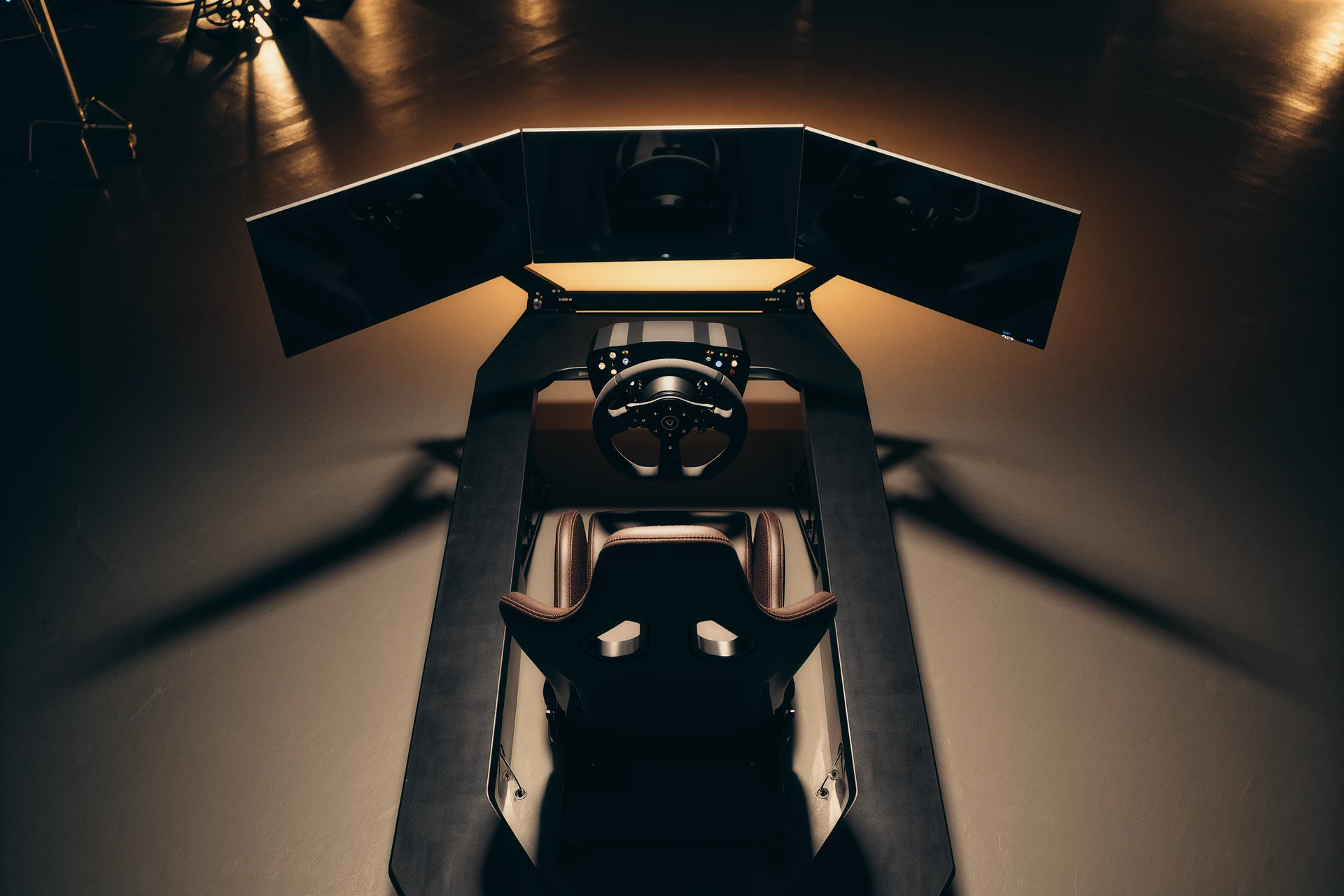
So, you’re ready to jump into the exciting world of sim racing, but what gear do you actually need to get started and genuinely enjoy it? The absolute essentials are pretty straightforward: a good racing wheel and pedals, a reliable display, and a comfortable chair. Everything else builds on that foundation to enhance your experience. Let’s break it down.
Before you even think about fancy shifters or motion platforms, you need the basics. These are the items that will let you actually drive your virtual car.
Your Primary Interface: The Racing Wheel
This is arguably the most important piece of your sim racing setup. A good wheel provides force feedback, which gives you crucial tactile information about what the car is doing, how much grip it has, when it’s sliding, and the textures of the track.
Entry-Level Wheels
For those just dipping their toes in, an entry-level wheel can be a great starting point. These often come as a wheel and pedal set.
- Logitech G29/G920/G923: These are the go-to recommendations for beginners. They use a gear-driven force feedback system, which is robust and offers a decent amount of detail for the price. They’re built like tanks and are compatible with both PC and consoles (G29 for PlayStation/PC, G920 for Xbox/PC, G923 for all).
- Thrustmaster T150/TMX: Similar to Logitech in price and performance, these often use a hybrid gear and belt-driven system, which can sometimes feel a bit smoother than pure gear drive. Again, platform-specific versions are available.
The key takeaway for entry-level is ‘good enough to learn and enjoy’. You’ll feel the forces, understand the basics of car control, and decide if sim racing is for you without breaking the bank.
Mid-Range Wheels
Once you’re hooked and want more detail and realism, mid-range wheels step up the game, primarily through their force feedback technology.
- Thrustmaster T300RS/TX: These are belt-driven systems. Belt drive offers much smoother and more detailed force feedback than gear-driven wheels. You’ll feel subtle changes in grip and road textures more effectively, leading to a more immersive experience and better car control. They’re also generally more durable under heavy use.
- Fanatec CSL Elite (if you can find one used): While superseded by newer Fanatec models, the CSL Elite was a fantastic mid-range option with its belt-driven system. If you spot one second-hand, it could be a great value.
Mid-range wheels offer a significant jump in immersion and will allow you to be more precise with your inputs.
High-End (Direct Drive) Wheels
This is where things get serious. Direct drive wheels are the gold standard for force feedback.
- Fanatec CSL DD / DD Pro: These are phenomenal entry points into direct drive. They deliver incredible detail, strength, and responsiveness because the motor is directly connected to the wheel shaft, with no belts or gears to dampen the feedback. The DD Pro is for PlayStation compatibility, CSL DD for Xbox/PC.
- Moza R5 / R9: Moza has quickly become a strong contender in the direct drive space, offering excellent value. Their R5 bundle is fantastic for a complete direct drive setup without breaking the bank.
- Simucube / VRS DirectForce Pro / Asetek: These are the top-tier, enthusiast-grade direct drive systems. They offer immense power, unparalleled detail, and robust build quality. Often configurable in many ways, they offer the most realistic force feedback available.
Direct drive means you’ll feel every bump, every loss of traction, and every steering input with incredible fidelity. It’s a game-changer for those serious about realism and competitive racing.
Your Control Input: The Pedals
Often overlooked, good pedals are as crucial as a good wheel, if not more so, for consistent lap times. Your braking input, especially, needs to be precise.
Entry-Level Pedals
These usually come bundled with entry-level wheels.
- Logitech G29/G920/G923 Pedals: These use potentiometers. They are functional but don’t offer much in the way of progressive braking feel. They’ll get you started, but you’ll quickly notice their limitations for precise trail braking.
- Thrustmaster T-LCM Pedals: While technically mid-range, these are an excellent upgrade option for any entry-level wheel. They feature a load cell on the brake pedal.
Load Cell Pedals
This is where consistency really begins.
- Thrustmaster T-LCM: Highly recommended for their price-to-performance. A load cell measures pressure, not travel, which is how real car brakes work. This allows for much more consistent and accurate braking.
- Fanatec CSL Pedals Load Cell Kit: A popular upgrade for Fanatec’s entry pedals. The load cell is essential for precise braking.
- Moza SRP Lite Pedals (with Performance Kit): Another strong contender in the direct drive ecosystem.
With load cell pedals, you’ll be braking based on muscle memory and leg pressure, leading to significantly more consistent and faster lap times compared to potentiometer-based pedals.
High-End Pedals
For the truly dedicated, high-end pedals offer further refinement, adjustability, and durability.
- Fanatec ClubSport Pedals V3: These are very popular, offering excellent build quality, adjustability, and a vibrational motor on the brake pedal for ABS feedback.
- Heusinkveld Sprint / Ultimate: Considered among the best. Incredible adjustability, feel, and robustness. These are built to last and provide an exceptional braking experience.
- BJ Sim Racing / Asetek Invicta / Simagic P2000: Other premium options offering unparalleled performance and adjustability.
High-end pedals offer fine-tuning for spring resistance, damping, and pedal spacing, allowing you to mimic a real car’s feel as closely as possible.
Seeing the Track: Your Display
What’s the point of incredible force feedback if you can’t see where you’re going? Your display is vital for immersion and situational awareness.
Single Monitor or TV
This is the most common and easiest setup.
- Size Matters (to a point): Aim for something 27 inches or larger, and generally, bigger is better for immersion and field of view.
- Refresh Rate: A higher refresh rate (120Hz, 144Hz, or more) makes the image smoother, which helps with car control and reduces motion sickness.
- Response Time: A low response time (1ms, 4ms) reduces ghosting.
- Resolution: 1080p is fine for smaller screens, but 1440p or 4K offers more detail on larger displays. Keep in mind higher resolutions demand more from your PC.
Make sure your monitor is as close to your wheel base as possible to improve your field of view and sense of speed.
Triple Monitors
For ultimate immersion without going into VR, triple monitors are fantastic.
- Wider Field of View (FOV): This is the main advantage. You gain critical peripheral vision, letting you see cars alongside you and upcoming corners much more naturally.
- Setup Complexity: It requires more GPU power and precise monitor alignment, but most modern sim racing titles support it natively.
- Matching Monitors: Ideally, you’ll want three identical monitors in terms of size, resolution, and bezel thickness for the best experience.
Triples provide a much more natural and immersive view than a single screen, significantly improving situational awareness.
Virtual Reality (VR) Headsets
VR is divisive, but for some, it’s the ultimate immersion.
- Unparalleled Immersion: You’re literally in the cockpit. Depth perception is realistic, and you can look around freely.
- Performance Demands: VR taxes your PC heavily. You’ll need a powerful graphics card to maintain enjoyable frame rates.
- Comfort and Resolution: Modern headsets like the Meta Quest 3, HP Reverb G2 (if you can find one), or Pimax Crystal offer better resolution and comfort than earlier generations, but some still find them uncomfortable for long sessions or suffer from motion sickness.
If your PC can handle it and you don’t mind wearing a headset, VR offers an experience unmatched by any screen setup.
Where You Sit: The Sim Rig & Seating
A stable platform for your gear and a comfortable, supportive seat are crucial for long racing sessions and consistency.
Desk Mounting
The simplest and cheapest option for entry-level setups.
- Pros: Uses existing furniture, minimal cost, easy to set up.
- Cons: Can be unstable, clamping systems can damage your desk, pedals often slide around, and seating position isn’t ideal for racing. Not suitable for direct drive wheels due to the forces involved.
Good for getting started, but you’ll outgrow it quickly if you get serious.
Wheel Stand
A step above desk mounting, offering more stability.
- Pros: Portable, takes up less space than a full rig, more stable than a desk. Often foldable for storage.
- Cons: Still some flex, can lift when braking hard if not stabilized, limited adjustability for seating. Popular brands include Wheel Stand Pro and Next Level Racing wheel stands.
A great choice if you’re limited on space but want more stability than a desk.
Full Sim Rig (Cockpit)
This is the goal for serious sim racers. A dedicated framework for all your gear.
- Rigidity: Aluminum profile rigs (e.g. from Sim-Lab, Trak Racer, Fanatec, Moza) are exceptionally rigid, preventing flex even with powerful direct drive wheels and stiff load cell pedals. This rigidity directly translates to more accurate force feedback and consistent pedal feel.
- Adjustability: Highly adjustable to optimize your seating position, wheel, and pedal placement. This is key for comfort and performance.
- Seating: A dedicated bucket seat (either a real car seat or a purpose-built sim racing seat) provides the right ergonomics and support.
Aluminum Profile Rigs
These are the most popular choice for dedicated setups due to their modularity and strength.
- Sim-Lab: A long-standing, respected manufacturer known for quality.
- Trak Racer: Offers a range of rigs, from mid-tier to high-end.
- Fanatec RennSport Cockpit / Moza Racing Rigs: Designed to integrate perfectly with their ecosystems.
A solid rig is an investment that pays dividends in comfort, immersion, and most importantly, consistency with your inputs.
Seats for Sim Rigs
- FIA-Approved Bucket Seats: Real racing seats offer incredible support and are built for endurance. They can be found new or used.
- Purpose-Built Sim Racing Seats: Designed with comfort for longer sessions in mind, often a bit wider than real racing seats.
- Used Car Seats: A budget-friendly option if you can find one that’s comfortable and supportive.
Your seat is where you’ll spend hours, so make sure it’s comfortable and provides good lumbar and lateral support.
Enhancing the Experience: Beyond the Essentials
Once you have the core components dialed in, these additions can take your sim racing to the next level.
Shifters
While most racing uses paddle shifters, a dedicated H-pattern or sequential shifter adds fun and immersion for certain car types.
- H-Pattern Shifters: Essential for classic cars, rally, or trucks.
- Logitech Driving Force Shifter: Basic, but gets the job done for occasional use.
- Thrustmaster TH8A: More robust, offering both H-pattern and sequential modes.
- Fanatec ClubSport Shifter SQ V 1.5: Premium feel and build quality, with adjustable stiffness.
- Sequential Shifters: For modern race cars that don’t use paddles.
Handbrake
Mainly for rally and drifting, a dedicated handbrake offers much more control than a button assignment.
- Thrustmaster TSSH Sequential Shifter & Handbrake: A dual-purpose option.
- Fanatec ClubSport Handbrake V 1.5: Excellent build quality and feel.
- Standalone Hydraulic Handbrakes: For ultimate realism, using a load cell or hydraulic system.
Audio
Good audio is often overlooked but plays a huge role in immersion and feedback.
- Headphones: Over-ear headphones provide excellent sound isolation, letting you hear engine noises, tire squeal, and subtle feedback cues clearly. Open-back headphones can be more comfortable for longer sessions.
- Surround Sound: If you’re using a speaker system, surround sound can enhance spatial awareness.
Hearing the tires break traction, the engine revs correctly, or the subtle gear changes makes a real difference.
Buttkickers / Haptic Transducers
These devices bolt to your seat or rig and translate in-game audio cues (engine rumble, bumps, gear shifts, tire sliding) into physical vibrations.
- Buttkicker Gamer2: A popular, affordable choice for adding tactile feedback.
- Seat Transducers (e.g. Dayton Audio pucks): Often used in arrays for more localized feedback when paired with dedicated software like SimHub.
Haptic feedback adds another layer of immersion, letting you feel what the car is doing.
Button Boxes and Stream Decks
For quickly adjusting settings or performing specific actions without taking your hands off the wheel.
- Button Boxes: Dedicated panels with programmable buttons, dials, and switches.
- Stream Decks: Originally for streamers, these programmable keypads are fantastic for sim racing.
These help streamline your workflow, especially in endurance races or when quickly needing to adjust brake bias, traction control, or pit limiter.
Motion Platforms
The pinnacle of immersion, but also the most expensive. These platforms move your entire rig or just your seat to simulate g-forces, bumps, and car movement.
- 2-DOF (Degrees of Freedom): Simulates pitch (braking/acceleration) and roll (cornering). Most common entry into motion.
- 3-DOF+: Adds heave (bumps) and yaw (traction loss), or even full 6-DOF systems that mimic a full vehicle’s movement. Brands like D-Box, Next Level Racing, and SimXperience are popular.
Motion platforms are a serious investment and require a robust rig, but they offer an unparalleled sense of realism and feedback.
Essential PC Hardware
You can have the best wheels and pedals, but if your PC can’t keep up, your experience will suffer.
Graphics Card (GPU)
This is the most critical component for sim racing.
- NVIDIA RTX 3060/4060 or AMD RX 6600XT/7600 and up: For 1080p single monitor at high refresh rates.
- NVIDIA RTX 3070/4070 or AMD RX 6700XT/7700XT and up: For 1440p, triple 1080p, or entry-level VR.
- NVIDIA RTX 3080/4080 or AMD RX 6800XT/7800XT and up: For demanding resolutions (4K, triple 1440p), high-refresh-rate VR, or future-proofing.
Always prioritize the best GPU you can afford for sim racing.
Processor (CPU)
Sim racing titles, especially those with large grids (like iRacing), are CPU-intensive.
- Intel Core i5-12th gen or AMD Ryzen 5 5600X/7600 and up: Solid performance.
- Intel Core i7-12th gen or AMD Ryzen 7 5800X/7700 and up: Recommended for larger grids and high frame rates. Multi-core performance is becoming increasingly important.
RAM
- 16GB DDR4/DDR5: Minimum for comfortable sim racing.
- 32GB DDR4/DDR5: Recommended for future-proofing, large tracks, or running other applications in the background.
Storage
- SSD (Solid State Drive): Absolutely essential. Install your operating system, racing games, and frequently used applications on an SSD for fast loading times. PCIe NVMe SSDs are even faster.
Tying It All Together
Sim racing is a journey, not a destination. You don’t need to buy everything at once. Start with the core components, get comfortable, and then upgrade gradually as your budget and passion grow. The most important thing is to have fun and enjoy the incredible experience of virtual motorsport. Happy racing!
FAQs
What is sim racing gear?
Sim racing gear refers to the equipment used for simulating the experience of racing in a virtual environment. This can include steering wheels, pedals, racing seats, and virtual reality headsets.What are the benefits of using sim racing gear?
Using sim racing gear allows enthusiasts to experience the thrill of racing in a realistic and immersive way. It can also help improve driving skills, provide a safe environment for practicing racing techniques, and offer a more engaging gaming experience.What are the different types of sim racing gear available?
There are various types of sim racing gear available, including force feedback steering wheels, pedal sets with realistic resistance, motion simulators, racing seats with built-in vibration feedback, and virtual reality headsets for an immersive visual experience.What should I consider when purchasing sim racing gear?
When purchasing sim racing gear, it’s important to consider compatibility with your gaming platform, build quality, force feedback technology, pedal resistance, adjustability, and additional features such as vibration feedback and compatibility with virtual reality.Where can I purchase sim racing gear?
Sim racing gear can be purchased from various retailers, both online and in physical stores. There are also specialized sim racing equipment manufacturers and distributors that offer a wide range of products for enthusiasts at different price points.More from Equipment & Gear
Sim Racing PC Build Guide
Sim racing PC build guide: why the AMD Ryzen 7 7800X3D wins on single-thread cache, how to match your GPU to your display, plus four complete budget b…
Sim Racing VR vs Triples Guide
VR vs triple monitors for sim racing in 2026: compare Quest 3, Pimax Crystal Light and triple 1440p setups on field of view, depth, comfort, cost and …
Sim Racing Motion Platforms Guide
Sim racing motion platforms guide: compare seat movers, chassis movers, D-BOX, PT Actuator, and bass shakers, with prices from $150 to $20,000-plus an…