Upgrade Your Sim Racing Setup with a Monitor Stand
So, you’ve got a fantastic sim racing wheel and pedals, maybe even a fancy shifter. You’re feeling the adrenaline, but something’s holding you back from that trul…
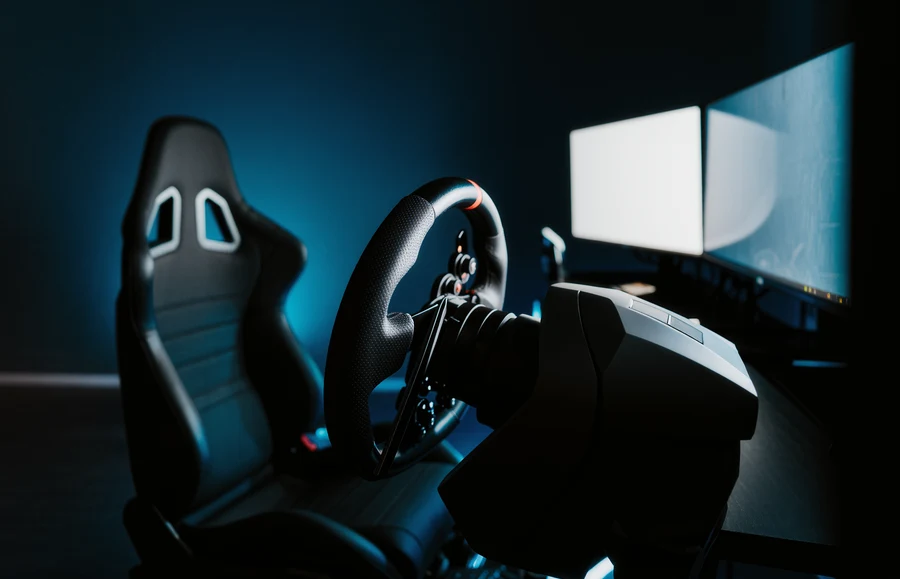
So, you’ve got a fantastic sim racing wheel and pedals, maybe even a fancy shifter. You’re feeling the adrenaline, but something’s holding you back from that truly immersive experience. Often, it’s the monitor. Is it perched precariously on your desk, or wobbling on some makeshift stand? If so, then yes, upgrading your monitor setup with a dedicated stand is absolutely a game-changer for your sim racing. It’s not just about aesthetics; it’s about comfort, immersion, and frankly, performance. Let’s dive into why a good monitor stand is a surprisingly crucial piece of kit for any serious sim racer.
We spend a lot of time looking at our monitors, especially when we’re glued to the virtual track. It’s easy to overlook, but the way your monitor is positioned can have a massive impact on how you feel and how you race. Think of it as the window to your virtual world; if that window is smudged, at a weird angle, or just generally unpleasant to look through, it’s going to detract from the whole experience.
Why Your Desk Isn’t Cutting It Anymore
Your office desk, while functional for spreadsheets, is rarely optimized for sim racing. It’s usually too high, too shallow, or simply not sturdy enough for the forces involved.
Desk Height Woes
Most desks are designed for sitting upright with your arms on the surface. In a sim rig, you’re typically leaning forward slightly more, or at least have your arms extended on the wheel. A desk that’s too high means your wheel might sit awkwardly, forcing you to crane your neck or adopt an uncomfortable posture.
Limited Depth for Immersion
For triple-screen setups or even a single ultrawide, a standard desk might not offer enough depth to position the monitor at an ideal viewing distance. Too close, and you get a tunnel vision effect; too far, and you lose detail.
Stability Issues and Vibrations
When you’re braking hard or making aggressive steering inputs, your desk can often vibrate. This can translate to a jarring feedback loop through your monitor and even cause it to wobble. It’s a distraction you just don’t need when you’re trying to nail a complex corner.
The Ergonomic Advantage of a Dedicated Stand
This is where a monitor stand really shines. It’s engineered to position your display correctly, which is crucial for long racing sessions.
Reducing Neck Strain
A properly positioned monitor stand allows you to dial in the perfect height and tilt. This means your neck can remain in a neutral, relaxed position, preventing that familiar ache after a few hours of racing.
Eye Comfort and Focus
Getting the monitor at the right distance and angle significantly reduces eye strain. You’re less likely to be squinting or over-adjusting your focus, leading to better concentration on the race.
Improved Posture for Peak Performance
When your monitor is set up correctly, it encourages better posture. This not only helps with comfort but also with fine motor control. A relaxed body is a more responsive body, and that translates to quicker reactions and smoother inputs on the virtual steering wheel.
Types of Monitor Stands: Finding Your Perfect Fit
Not all monitor stands are created equal. The “best” one for you will depend on your existing setup, the space you have, and your budget.
Freestanding Monitor Stands: Simple and Versatile
These are the most straightforward options. They sit on your desk or rig and hold your monitor. They are great if you don’t want to permanently alter your desk or rig.
Single Monitor Mounts for Desk Use
If you’re just using one regular monitor, a single freestanding mount is a great starting point. Look for one with a sturdy base and smooth articulation. Many allow for height, tilt, and swivel adjustments.
Articulating Arms: The Most Adaptable
These mounts often feature one or more arms that can be extended, retracted, and angled. This offers a huge degree of flexibility in positioning your screen precisely where you want it. They’re ideal for when you need to pull the monitor closer for immersion or push it back to gain desk space.
Fixed or Tilt-Only Stands for Simplicity
Some simpler models offer just basic tilt functionality or a fixed height. While less adjustable, they can be incredibly stable and are often a more budget-friendly option if your positioning needs are minimal.
Ultrawide Monitor Mounts: For Wider Views
Ultrawide monitors are becoming increasingly popular in sim racing due to their immersive field of view. Standard monitor mounts might struggle with the weight and size of these displays.
Heavy-Duty Construction is Key
When choosing a mount for an ultrawide, always check the weight capacity and ensure it’s designed to handle the dimensions of your specific monitor. A flimsy mount will simply not do.
Balancing Stability and Adjustability
You want a stand that can hold your ultrawide securely without compromising on your ability to adjust its position. Look for robust materials and a design that distributes the weight effectively.
Rig-Mounted Monitor Stands: Integrated Immersion
If you have a dedicated sim racing rig or cockpit, mounting your monitor directly to it is often the ultimate step for a truly integrated setup. This eliminates any desk wobble and brings the monitor as close to your natural line of sight as possible.
Single Monitor Mounts for Rigs
Just like desk mounts, these attach directly to the frame of your rig. This ensures the monitor moves with your rig and remains at a consistent, ideal distance.
Direct Clamp-On Mounts
These often clamp onto the vertical or horizontal bars of your sim rig. They are generally easy to install and remove.
Bolt-On Solutions for Permanent Integration
Some mounts are designed to be bolted directly into pre-drilled holes on your rig, offering maximum stability and a very clean look.
Triple Monitor Stands: The Ultimate Immersion
For the most immersive sim racing experience, a triple-monitor setup is hard to beat. These stands are specifically designed to hold three monitors in a curved configuration around the driver.
Space Requirements are Significant
Be honest about your available space. A triple-monitor setup, even with a stand, can take up a substantial amount of real estate.
Achieving the Correct Curve and Viewing Angles
The best triple monitor stands allow you to fine-tune the angle of each individual screen to create a seamless wrap-around effect without noticeable bezels in your central field of vision. This is crucial for peripheral awareness in racing.
Cable Management is a Must
With three monitors, cable management becomes a headache. Look for stands that offer built-in or easily integrated cable routing solutions to keep things tidy.
Floor-Mounted Monitor Stands: For Free-Standing Rigs
If your rig is a free-standing unit, a floor-mounted monitor stand is often the most robust and flexible option.
VESA Mount Compatibility is Universal
Most modern monitors and stands use the VESA mounting standard. This means you can generally swap mounts and monitors between different VESA-compatible units with ease. Always double-check your monitor’s VESA pattern before buying a stand.
Height and Distance Adjustments are Paramount
For a floor-mounted stand, you’ll want significant adjustability in both height and depth. This allows you to tailor the display position to your rig’s seating position.
Pole-Mounted Systems with Adjustable Arms
Many floor stands utilize a vertical pole with articulating arms that can be moved up, down, and forward/backward. This provides substantial flexibility.
Swivel and Pivot Options for Different Needs
Some floor stands offer swivel and pivot functionality, allowing you to easily rotate your monitor from landscape to portrait or adjust its angle for different viewing perspectives.
Key Features to Look For: Beyond Just Holding the Screen
Buying a monitor stand isn’t just about finding something that holds your display. You need to consider its features and how they’ll benefit your sim racing.
VESA Mount Standards: The Universal Language
We touched on this, but it’s worth reiterating. VESA compatibility is your assurance that the stand will physically connect to your monitor.
Understanding VESA Patterns (75×75, 100×100, 200×200 mm)
Your monitor will have a VESA mounting pattern on the back: a square arrangement of screw holes. The most common are 75x75mm, 100x100mm, and 200x200mm. Your monitor stand will specify which VESA patterns it supports.
Adapters and Compatibility Checks
In rare cases, if your monitor or stand uses a less common VESA pattern, you might need an adapter. It’s always best to check the specifications carefully for both your monitor and the stand.
Adjustability: The Magic Word
This is where the real benefits lie. The more adjustable a stand is, the better you can optimize your setup.
Height Adjustment: Crucial for Eyeline
Being able to precisely set the monitor’s height means you can match it to your natural eyeline, whether you’re leaning forward or sitting back.
Tilt and Swivel: Finding the Sweet Spot
The ability to tilt your monitor up or down, and swivel it left or right, is essential for reducing glare and achieving the perfect viewing angle.
Reducing Glare from Overhead Lights
Annoying reflections on your screen can ruin a race. Tilt and swivel adjustments allow you to angle the monitor to minimize these distractions.
Optimizing Viewing Angles for Immersion
When you’re fully immersed in a race, you don’t want to be constantly craning your neck. The ability to slightly swivel the monitor can help keep your peripheral vision engaged with the action.
Depth Adjustment: Getting the Distance Right
For sim racing, the distance of the monitor from your eyes is critical for immersion and reducing eye strain. Some stands offer excellent depth adjustment.
Build Quality and Stability: Don’t Skimp Here
A flimsy stand is a recipe for frustration. Look for robust construction.
Material Matters: Steel vs. Aluminum vs. Plastic
Most quality monitor stands are made from steel or sturdy aluminum. These materials offer excellent durability and rigidity. Avoid stands that are predominantly plastic, especially for larger or heavier monitors.
Weight Capacity: Know Your Monitor’s Limits
Always check the maximum weight capacity of the monitor stand and compare it to the weight of your monitor. Exceeding this can lead to a stand failure.
Base Design for Freestanding Mounts
For desk-mounted stands, the base design is important. A wider, heavier base will provide more stability. Some have a ‘C-clamp’ or ‘grommet’ style attachment to the desk for maximum rigidity.
Cable Management: A Tidy Setup is a Happy Setup
With multiple cables for your monitor, power, and possibly USB connections, cable management can quickly become a mess.
Integrated Cable Clips and Sleeves
Many stands come with built-in clips, channels, or sleeves to route cables neatly and keep them out of the way. This not only looks better but also prevents snagging.
Tidiness for Focus and Safety
A clean cable management setup means fewer distractions and a safer environment, preventing cables from becoming trip hazards.
The Triple Monitor Dream: When One Isn’t Enough
For many sim racers, the ultimate goal is a triple-monitor setup. It truly replicates the experience of being in a real car, providing unparalleled peripheral vision.
The Immersion Factor of Triples
Having three screens allows you to see the track, your mirrors, and the scenery in a far more comprehensive way than a single screen ever could.
Peripheral Vision is King
The ability to see cars approaching from the side or in your mirrors without having to constantly move your head is a significant advantage, both for immersion and for lap times.
Creating a Wrap-Around Effect
When set up correctly, the three monitors create a natural curve that draws you into the virtual environment. This makes the experience feel much more realistic.
Challenges and Considerations for Triple Setups
Triple monitor setups aren’t without their difficulties. Space and cost are significant factors, and the right stand is crucial.
Space Requirements: More Than You Think
You’ll need a substantial amount of desk or rig space to accommodate three monitors. They can’t just be lined up side-by-side; they need to be angled.
Bezels: The Enemy of Immersion
The dead space between monitors (bezels) can break the illusion. The stand needs to allow for minimal gap or for the angle to compensate effectively.
Monitor Matching: The Ideal Scenario
Ideally, you want three identical monitors for a seamless look and consistent colors. However, if you’re mixing, the stand needs to accommodate different sizes or be able to position them as closely as possible.
Rig-Mounted vs. Freestanding Triple Stands
The choice often comes down to whether you have a dedicated rig.
Rig-Mounted Triples: Ultimate Integration
Attaching a triple monitor stand to your sim rig offers incredible stability and ensures the monitors stay at the perfect distance and angle relative to your seating position. This is the premium option for serious racers.
Stability is Paramount for Rig-Mounted
A well-built triple monitor stand for a rig will be incredibly rigid, able to withstand the vibrations and movements associated with intense sim racing.
Articulation for Precise Alignment
The best rig stands offer individual adjustments for each monitor, allowing you to achieve perfect alignment and minimize the impact of bezels.
Freestanding Triples: Versatility for Different Setups
If you don’t have a dedicated rig, a freestanding triple monitor stand can still provide a great experience. These are often more substantial and can be positioned behind your desk or rig.
Larger Footprint for Stability
Freestanding triple stands typically have a much larger base to provide the necessary stability for three monitors.
Adjusting Position Relative to Your Seating
You’ll need to carefully position a freestanding stand so that the screens align correctly with your seating position and steering wheel.
Getting the Best Bang for Your Buck: Budget-Friendly Options and Value
You don’t necessarily need to spend a fortune to get a good monitor stand. There are plenty of options that offer great value.
Identifying “Good Enough” for Your Needs
Start by honestly assessing what you really need. Do you have an ultrawide or a standard monitor? Are you planning on going triples in the future?
Prioritize Stability and VESA Compatibility
These are non-negotiables. If a stand isn’t stable or doesn’t support your monitor’s VESA pattern, it’s not worth considering.
Look for Essential Adjustability
Height, tilt, and swivel are the most important adjustments. If your budget is tight, focus on stands that offer these well.
Sweet Spots in the Market: Where Value Lies
There are certain price tiers where you tend to get a good balance of features and quality.
Entry-Level Stands: The Starting Point
For basic setups with single, smaller monitors, you can find decent freestanding stands for under $50. Just be sure to read reviews for sturdiness.
Mid-Range Mounts: The Sweet Spot for Most
Around the $80-$150 mark, you’ll find a much better selection of articulating arm mounts. These offer excellent adjustability and build quality for most single or dual monitor setups.
High-End and Ultimate Immersive Solutions
For triple monitor stands or premium rig-mounted options, prices can range from $200 up to $500 or more. This is where you’re paying for specialized designs, robust materials, and maximum adjustability.
Used Market and DIY Solutions: Creative Approaches
Don’t underestimate the power of the used market or even a bit of DIY ingenuity.
Buying Second-Hand: Potential Bargains
Monitor stands can be found for sale on platforms like eBay, Facebook Marketplace, or dedicated sim racing forums. Inspect them carefully for damage.
DIY Monitor Mounts: For the Technically Inclined
If you’re handy, you can often build your own monitor mount using materials like aluminum extrusion (much like many sim rigs are built from) or even sturdy wood. This allows for complete customization but requires planning and proper tools.
The Final Verdict: Is a Monitor Stand Worth It?
Let’s cut to the chase: yes, absolutely. If you’re serious about sim racing and want to get the most out of your experience, a monitor stand is a surprisingly impactful upgrade. It’s not as glamorous as a new wheel or pedals, but its contribution to comfort, immersion, and even your on-track performance is undeniable.
Investing in Your Comfort and Immersion
A comfortable sim racer is a focused sim racer. By eliminating physical distractions and eye strain, a good monitor stand allows you to stay immersed for longer and perform at your best.
The Performance Angle: It’s Not Just About Feeling Good
While comfort is key, improved positioning can lead to better lap times. Better peripheral vision, reduced neck strain, and a more stable viewing platform all contribute to a more consistent and controlled driving experience.
Choosing Wisely Will Pay Dividends
Take the time to research your options. Think about your current setup, your future plans, and your budget. A well-chosen monitor stand will be a reliable and valuable part of your sim racing rig for years to come. It’s one of those upgrades where you’ll likely wonder how you ever raced without it.
FAQs
What is a Sim Racing monitor stand?
A Sim Racing monitor stand is a specialized stand designed to securely hold a monitor or multiple monitors for use in sim racing setups. It is typically adjustable to accommodate different monitor sizes and angles for optimal viewing during racing simulations.What are the benefits of using a Sim Racing monitor stand?
Using a Sim Racing monitor stand can help improve the overall racing experience by providing a stable and adjustable platform for the monitors. This can enhance visibility, reduce eye strain, and create a more immersive and realistic racing environment.How does a Sim Racing monitor stand differ from a regular monitor stand?
A Sim Racing monitor stand is specifically designed to withstand the rigors of simulated racing, with features such as adjustable height, tilt, and swivel options to accommodate the unique viewing angles required for racing simulations. It also often has a more robust and stable construction compared to regular monitor stands.What should I consider when choosing a Sim Racing monitor stand?
When choosing a Sim Racing monitor stand, consider factors such as the compatibility with your racing setup, the adjustability options, the weight capacity, and the overall stability of the stand. It’s also important to ensure that the stand can accommodate the size and number of monitors you plan to use.Are there different types of Sim Racing monitor stands available?
Yes, there are various types of Sim Racing monitor stands available, including single monitor stands, triple monitor stands, and stands with integrated mounting options for racing peripherals such as steering wheels and pedals. Some stands also offer additional features such as cable management and accessory mounts.More from Equipment & Gear
Sim Racing PC Build Guide
Sim racing PC build guide: why the AMD Ryzen 7 7800X3D wins on single-thread cache, how to match your GPU to your display, plus four complete budget b…
Sim Racing VR vs Triples Guide
VR vs triple monitors for sim racing in 2026: compare Quest 3, Pimax Crystal Light and triple 1440p setups on field of view, depth, comfort, cost and …
Sim Racing Motion Platforms Guide
Sim racing motion platforms guide: compare seat movers, chassis movers, D-BOX, PT Actuator, and bass shakers, with prices from $150 to $20,000-plus an…