Cable management that survives a motion platform
Cable routing that survives a moving rig: the published filling rules for energy chains, the USB length limits and the order in which to lay a loom.
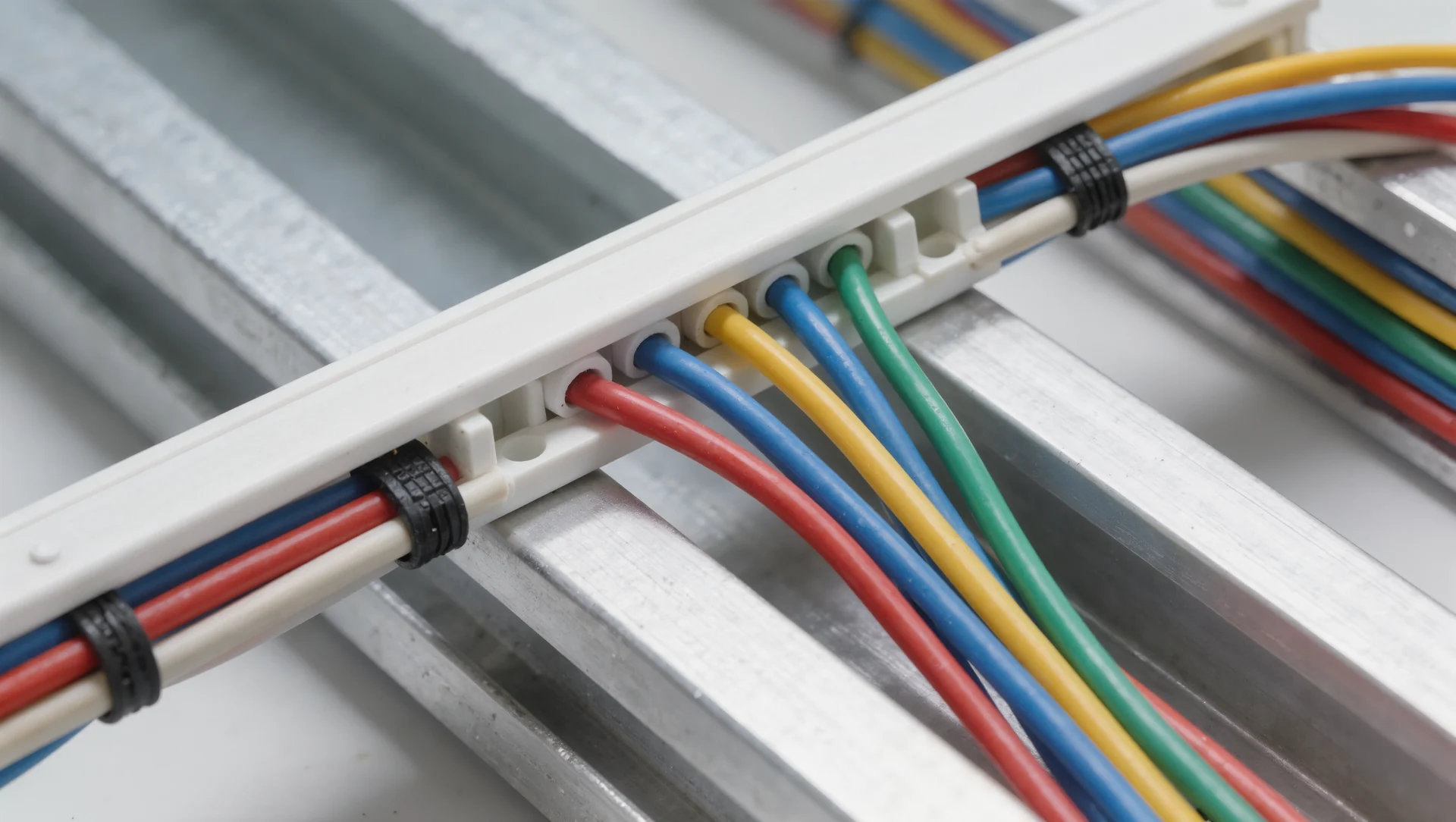
On a static rig, bad cable routing is untidy; on a moving rig it is a countdown. A cable that is pulled, pinched or bent past its radius fails after a few thousand cycles, and the failure always looks like a wheel base fault rather than a cable fault.
The two constraints that decide everything
The first is signal length. USB 2.0 is specified to a maximum of 5 metres, while the USB 3.x generations are practically limited to 2 to 3 metres because the USB-IF replaced the fixed length with performance requirements on propagation delay and attenuation. A wheel base at one end of the rig and a PC at the other are already two metres apart before the cable takes a single detour, so route length is not a detail.
The second is bend radius under motion. igus publishes the filling rules for energy chains, and they are usable well beyond drag chains: electrical round cables need ten per cent clearance space all around, media hoses fifteen to twenty, and the clearance height of a compartment holding several similar cables side by side must not exceed one and a half times the cable diameter. A cable packed tighter than that rubs against its neighbour on every cycle.
The same source gives the number people skip: a gap of ten to thirty times the cable diameter is recommended between the end of the bend segment and the fixed point. For a 6 mm USB cable that is 60 to 180 mm of free length before the strain relief, and a cable tied down tighter than that transfers every movement into the connector.
| Rule | Figure |
|---|---|
| USB 2.0 maximum length | 5 metres |
| USB 3.x practical length | 2 to 3 metres |
| Clearance for round electrical cable | 10 per cent all around |
| Clearance height with several cables | max 1.5 times the diameter |
| Free length before the fixed point | 10 to 30 cable diameters |
| Separation threshold under motion | over 0.5 m/s and over 10,000 load changes a year |
Laying the loom in the right order
Route power before data. Mains leads are the least flexible, the most dangerous when chafed and the ones that dictate where everything else can go. Then route the USB runs with the shortest possible path to the PC, then the audio and shaker cables, then the accessories that get unplugged often.
Leave a service loop at every connector, sized by the ten to thirty diameters rule rather than by eye. That loop is what lets you slide the seat, change a wheel rim or pull the pedals forward without unplugging anything, and it is the difference between a rig you adjust and a rig you avoid adjusting.
Tie the loom to the frame, not to other cables. A bundle held together by its own cable ties moves as one object, and the stiffest cable in the bundle then dictates the bend radius for the most fragile one. That is exactly the failure the separator rule in the filling guidance exists to prevent.
What changes with motion
Once the seat moves, every cable crossing the moving joint becomes a wear item. The filling rules give the threshold: separation between cables becomes necessary above a travelling speed of 0.5 metres per second combined with more than ten thousand load changes per year. A motion platform running two hours a day passes ten thousand cycles in weeks, not years.
Practically that means one thing: cables that cross the joint go into a chain or a sleeve with a defined radius, and they go in with the ten per cent clearance the rules ask for. A cable that fills its channel completely has no way to move except against its neighbours.
Everything that does not have to cross the joint should not. Mount the shaker amplifier, the USB hub and the power strip on the moving part or on the fixed part, but never split a group across the joint just because that is where there was space.
Checking it once a season
Pull each cable gently at the connector and watch where the movement goes. If it goes into the plug, the strain relief is too tight and the service loop is too short. Then look for shine: a bright wear mark on an outer jacket is the last warning before the shield underneath opens, and it appears months before the symptom does.
Sources
Frequently asked questions
Can I use a USB extension for the wheel base?
A passive one only within the length limit. Beyond that use an active repeater or a powered hub near the rig, because a marginal link fails as a random disconnect.
Do I need a drag chain on a static rig?
No. Sleeves and ties to the frame are enough as long as every connector keeps its service loop.
How tight should cable ties be?
Tight enough not to slide along the frame, loose enough that the cable can rotate inside the tie. If the jacket is deformed, it is too tight.
Why do disconnects always look like a base fault?
Because the base is what disappears from the device list. Swap the cable before you suspect the electronics, it is the cheaper test.
More in Cockpits & Rigs
Rig noise through the floor and what actually stops it
Rig noise through the floor is structure borne, not airborne. Why carpet does nothing, what the isolation figures mean and how to size a decoupling pad.
The tool list for an aluminium profile build
The tool list for an aluminium profile build, with the published torque limits and the two tools that decide whether the frame stays square.

Wheel distance and the ninety degree elbow
Wheel distance decides whether your shoulders or your elbows do the steering. The angle to aim for, the published rim sizes and how to measure it in five minutes.