Ultimate Sim Drift Wheel Settings for Maximum Control
Let’s dive into getting your sim drift wheel feeling just right for maximum control. The truth is, there’s no single “ultimate” setting that works for every…
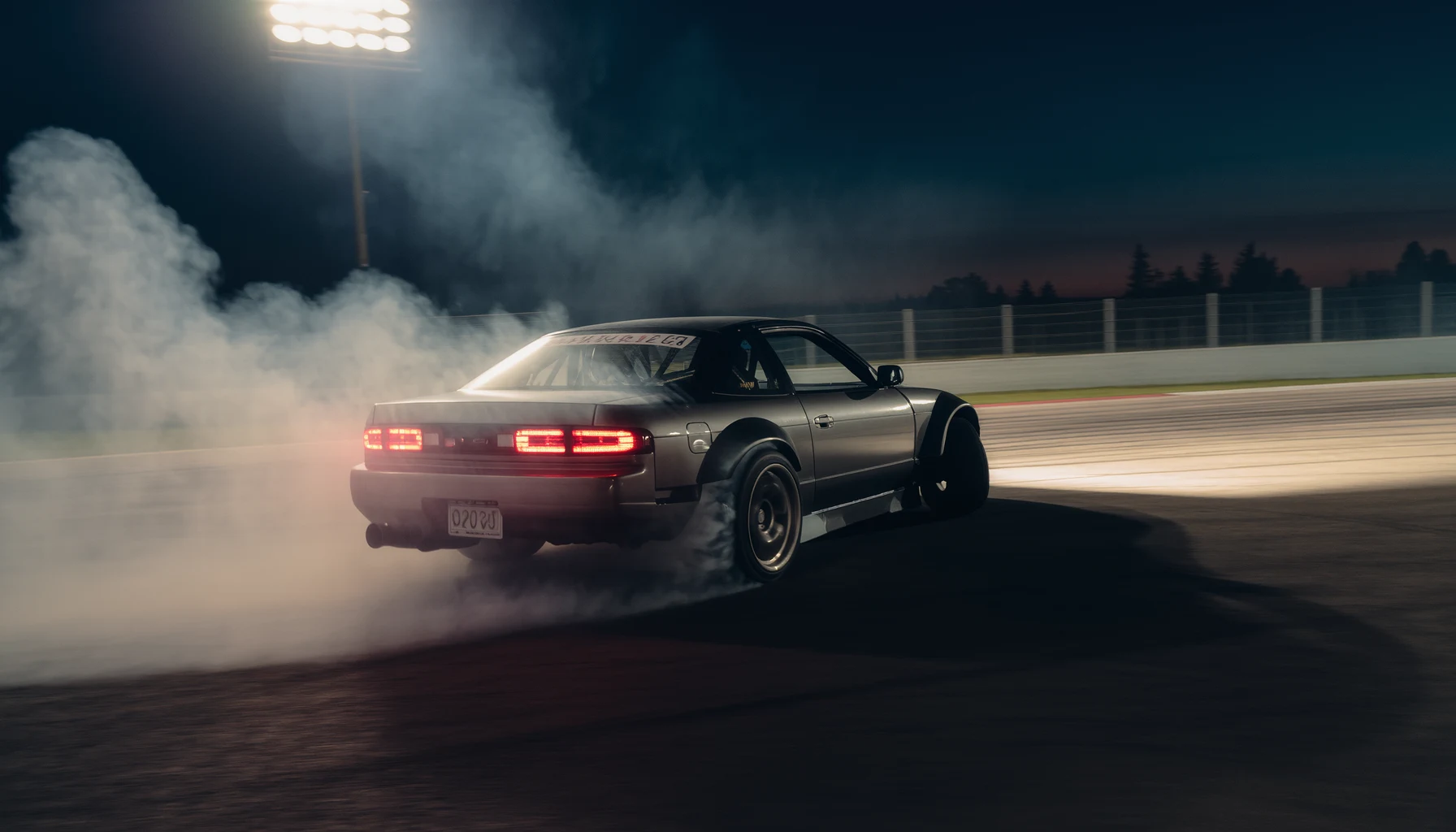
Let’s dive into getting your sim drift wheel feeling just right for maximum control. The truth is, there’s no single “ultimate” setting that works for everyone. Your ideal setup depends on your wheel, the game, your personal preference, and even the car you’re driving. However, by understanding the core principles and how different settings impact your experience, you can finetune your setup to give you the most predictable and communicative steering for drift. Think of it as tailoring a suit, it needs to fit you perfectly.
Understanding Force Feedback (FFB) Basics
Force feedback is what gives you all that crucial information from the virtual car. It’s not just about making the wheel heavy; it’s about communicating grip levels, weight transfer, and impending loss of control. Getting this right is foundational to feeling connected to the car and reacting effectively.
The Goal of Good FFB
Good FFB should make you feel the tires. You want to feel when they’re working, when they’re slipping, and when they’re about to let go. It should provide a clear distinction between the grip limit and beyond. It’s about subtle cues, not just brute force.
Different Wheel Types, Different FFB
Keep in mind that Direct Drive (DD) wheels offer the highest fidelity and most detail, followed by belt-driven, and then gear-driven wheels. While the principles are the same, the degree to which you can feel nuances will vary significantly between these types. Don’t expect a gear-driven wheel to replicate the same detail as a high-end DD.
Calibrating Your Wheel Externally (Manufacturer Software)
Before you even launch a game, it’s crucial to set up your wheel’s base settings. This is usually done through your wheel manufacturer’s control panel or software (e.g. Logitech G HUB, Fanatec Control Panel, Thrustmaster Control Panel, Simucube Paddock). These external settings often act as a master control for what the game then fine-tunes.
Overall Force/Strength
This is your wheel’s main power output. For drifting, you generally want this high enough to feel details but not so high that it clips constantly or becomes fatiguing. Clipping means the wheel is trying to output more force than it’s capable of, leading to a loss of detail and a “flat” feeling. On a Direct Drive wheel, you might be running 70-100% of its potential. On a gear or belt-driven wheel, you might be closer to 80-90%. Start high and reduce if you notice clipping.
Damping/Friction/Inertia
These settings add resistance and “heaviness” to the wheel.
- Damping: This simulates the internal friction of the steering system and tire scrub. Too high, and the wheel feels sluggish and muted. Too low, and it can feel overly light and twitchy. A good starting point is often around 0-20%.
- Friction: Similar to damping, this adds a constant resistance. Generally, you want very little, if any, friction for drift. It can mask important feedback.
- Inertia: This simulates the physical mass of the wheel and steering components. It makes the wheel feel like it has momentum. For drifting, a low inertia (0-10%) is usually preferred, as you want the wheel to spin freely for counter-steering.
The goal here is a wheel that isn’t overly stiff or artificially heavy, allowing it to spin freely for counter-steer, but still providing enough resistance to feel connected.
Spring/Damper Effects (Optional)
Some wheels have separate “spring” and “damper” effects that simulate a self-centering spring or a damping force independent of the FFB signal. For drift, you generally want these set to 0% or very low. The game should be providing the centering force and damping through its FFB calculations, not the wheel’s artificial effects.
Degrees of Rotation (DOR)
This is a critical setting. For drifting, a commonly used range is between 720 and 900 degrees. Some prefer slightly less for quicker response, while others prefer more for finer control. Experiment within this range. Ensure your wheel’s software matches the same DOR you set in the game. Discrepancies here can lead to wonky steering ratios.
In-Game Force Feedback Settings
Once your wheel’s base settings are dialed in, it’s time to refine things within the game. Each sim title (Assetto Corsa, BeamNG.drive, Forza Motorsport, F1 games, etc.) will have its own specific FFB parameters. The general principles, however, remain consistent.
Overall FFB Gain/Strength
This is usually the first slider you’ll see. It acts as a multiplier for all the FFB effects coming from the game. If your external wheel settings are your master volume, this is your channel volume. You want this high enough to feel the details but low enough to prevent clipping. Many games have a visual indicator for clipping, pay close attention to it. Aim for occasional, minor clipping on big bumps or maximum turns, but not constant clipping.
Min Force/Minimum Force Threshold
Some wheels, particularly older ones or gear-driven ones, have a “dead zone” around the center where small forces aren’t strong enough to overcome internal friction. Min Force boosts these small forces. For Direct Drive wheels, you usually want this at 0%. For belt or gear-driven wheels, increasing it slightly (5-15%) can make the center feel more alive, but too much will make the wheel feel twitchy and artificial.
Road Effects/Kerb Effects/Slip Effects
These add specific types of feedback:
- Road Effects: Simulates the texture of the road surface. This can add a nice layer of immersion but can also become noisy. Keep it subtle for drifting; you want to feel tire slip more than asphalt texture.
- Kerb Effects: The feeling of driving over kerbs or rumble strips. Again, keep this low or off for drifting to avoid distracting from core slip feedback.
- Slip Effects: This is CRUCIAL for drifting. It’s the sensation of the tires losing and regaining traction. Maximize this if possible, as it’s your primary indicator of impending oversteer. Often, this is intertwined with overall gain.
Damper/Friction/Inertia (In-Game)
Similar to the external settings, games often have their own versions of these. For drifting, you generally want these low or off in-game as well. Let the tire model and physics generate the natural resistance, not artificial damping. If the wheel feels too light or “buzzy,” you might add a tiny bit of damping, but be wary of dulling the crucial slip effects.
Understeer Enhance/Dynamic Damper/Other “Enhancements”
Many games offer “enhancement” settings or filters. For a purist drift setup, you usually want these off or at their lowest setting. They often add artificial effects that can mask the true physics. For example, “understeer enhance” might artificially lighten the wheel when understeering, which can be useful for racing but can be misleading for drifting where subtle FFB changes communicate understeer.
Per-Car FFB Multipliers
Some advanced sims (like Assetto Corsa) allow you to adjust FFB gain per car. This is incredibly useful because different cars (even in the same game) will have varying levels of FFB output. A powerful, high-downforce car might overload your FFB, while a low-power, vintage car might feel weak. Adjust this on a car-by-car basis to ensure consistent FFB feel. Aim to optimize for each car to feel strong but without clipping.
Game-Specific Considerations & Tips
Different simulation titles interpret and apply FFB differently. What works perfectly in Assetto Corsa might need tweaking in BeamNG.drive.
Assetto Corsa (AC)
AC is a favorite for sim drifting due to its highly regarded physics and FFB.
- FFB Post Processing: Most drift setups use the “Lut” (Look-Up Table) generator for custom FFB curves. This allows you to linearize your wheel’s output and define a specific curve that enhances mid-range forces and reduces clipping at the extremes. Search for “Assetto Corsa LUT Generator” tools online.
- Gain: Start with 100% and reduce if clipping.
- Filter/Damping/Min Force: Keep these very low (0-5%) or off, especially with a good LUT.
- Road/Kerb Effects: Keep low or off. Focus on the core slip and weight transfer.
- Car Specific FFB: Crucial here. Use the FFB multi-per-car to dial in each drift car accurately.
BeamNG.drive
BeamNG’s FFB can be incredibly detailed due to its soft-body physics, but it can also be very “raw” or violent if not set up correctly.
- Strength: Start around 100% and reduce. Be aware that impacts can cause extreme FFB spikes, so don’t be afraid to lower it.
- Overall Damping/Smoothing: BeamNG often benefits from a small amount of Damping (5-15%) and Smoothing (5-10%) to tame some of the harshness. Too much will dull the feel.
- Vibration/Effects Intensity: These can make the wheel feel very busy. Keep them low or off to focus on the core steering feedback.
- Dynamic vs. Static FFB: Experiment with the FFB type. “Extended” or “Real” FFB often provides more detail.
Forza Motorsport/Horizon
Forza’s FFB is often considered less detailed than dedicated sims, but it can be improved.
- Vibration Scale: Crucial. Max this out to feel slip.
- Force Feedback Scale: This is your primary strength. Adjust until you feel weight but no overwhelming resistance.
- Wheel Damper Scale: Keep this very low (0-10%) for drifting.
- Force Feedback Understeer: Can be useful for racing but often detrimental for drifting. If you’re feeling understeer through the FFB, it’s usually already too late. You want to feel oversteer before it gets extreme. Keep low or off.
Other Sims (e.g. rFactor 2, Automobilista 2)
These often share similar advanced FFB options. Remember the core principles:
- Strong FFB gain without clipping.
- Minimal artificial damping/friction/spring effects.
- Maximize slip/tire feedback.
- Adjust per-car if available.
Fine-Tuning and Personal Preference
Even with all these guidelines, the ultimate settings will come down to what feels right to you. Think of it as a spectrum rather than a fixed point.
The “Sweet Spot” Feeling
You know you’re getting close when:
- The wheel feels connected to the tires.
- You can feel the weight shift of the car.
- You get clear, timely communication of tire slip.
- Counter-steering feels natural and the wheel spins freely.
- You don’t feel overwhelming resistance or artificial heaviness.
- You feel consistent feedback, not spiky or dead zones.
The Iterative Process
Don’t expect to get it perfect in one go. You’ll switch between your wheel’s software and the game settings often. Make small adjustments, test them, and then adjust again. It’s an iterative process.
Recording and Reviewing
If you’re stuck, record your FFB settings and watch some pro sim drifters or experienced streamers’ FFB inputs (if they show them). Not to copy directly, but to see how their wheel reacts. Pay attention to their counter-steering speed and their ability to catch slides.
Troubleshooting Common FFB Issues
Even with careful setup, you might encounter issues.
Clipping
- Symptom: FFB feels numb, flat, or heavy in high-force situations. Graphically, the FFB meter maxes out.
- Solution: Reduce overall FFB Gain (in-game) or overall Strength (in wheel software). Use a LUT generator if available (e.g. Assetto Corsa) to linearize the FFB.
Too Light/No Detail
- Symptom: Wheel feels disconnected, vague, or doesn’t provide enough information.
- Solution: Increase overall FFB Gain/Strength. Increase “Min Force” slightly for belt/gear wheels. Check if a lower-than-intended DOR is set.
Too Heavy/Fatiguing
- Symptom: Arms get tired quickly, wheel resists counter-steering excessively.
- Solution: Reduce overall FFB Gain/Strength. Reduce Damping/Friction/Inertia (both in-game and externally). Ensure no artificial spring is enabled.
Not Spinning Freely for Counter-Steer
- Symptom: Wheel feels sticky or resists rapid counter-rotation during a slide.
- Solution: Reduce Damping/Friction/Inertia to their absolute minimums (0-5%). Ensure artificial spring effects are off. Check “Auto Steer” or “Steering Assist” settings in-game are off.
Inconsistent FFB Across Cars
- Symptom: Some cars feel great, others are too weak or too strong.
- Solution: Utilize per-car FFB multipliers if the game provides them. Adjust the in-game FFB Gain for each car.
By methodically going through these settings, understanding their purpose, and iteratively tweaking them, you’ll be able to unlock the maximum control your sim rig can offer for drifting. It’s an investment in time, but the payoff in vehicle control and enjoyment is immense. Happy drifting!
FAQs
What are sim drift wheel settings?
Sim drift wheel settings are the specific configurations and adjustments made to a racing wheel and its accompanying software in order to optimize performance for drifting in simulation racing games.What are some common adjustments made in sim drift wheel settings?
Common adjustments in sim drift wheel settings include altering the force feedback strength, adjusting the steering sensitivity, modifying the wheel rotation angle, and fine-tuning the pedal sensitivity for throttle and brake control.How do sim drift wheel settings differ from regular racing wheel settings?
Sim drift wheel settings differ from regular racing wheel settings in that they are specifically tailored to enhance the experience and control of drifting in simulation racing games, as opposed to traditional racing where different driving dynamics are required.What are the benefits of optimizing sim drift wheel settings?
Optimizing sim drift wheel settings can improve the overall feel and control of the racing wheel, allowing for more precise and responsive handling during drifting maneuvers in simulation racing games. This can lead to a more immersive and enjoyable experience for the player.Where can I find resources for setting up sim drift wheel settings?
There are various online communities, forums, and tutorials dedicated to sim drift wheel settings, where enthusiasts and experts share their recommended configurations and tips for optimizing the performance of racing wheels for drifting in simulation racing games.More from Drifting
Virtual Drifting: A Thrilling Experience
Virtual drifting is, in short, a digital simulation of the high-skill, car-control sport of drifting. It’s about sliding a car through a turn, m…
Mastering Drifts: Professional Simulator Experience
So, you want to get good at drifting in a simulator, huh? The short answer is: it takes a lot of practice, the right equipment, and a solid understand…
Mastering the Art of Sim Racing Drifting
Let’s dive into the world of sim racing drifting. If you’re wondering how to actually drift in a simulator, it boils down to a controlled …