Sim Rig Accessories: Shakers, Shifters, Dashboards, Audio
Which accessories improve a sim rig depends on what your current setup lacks. This guide goes through haptics, audio, controls, comfort, data and the cabling that holds it together.
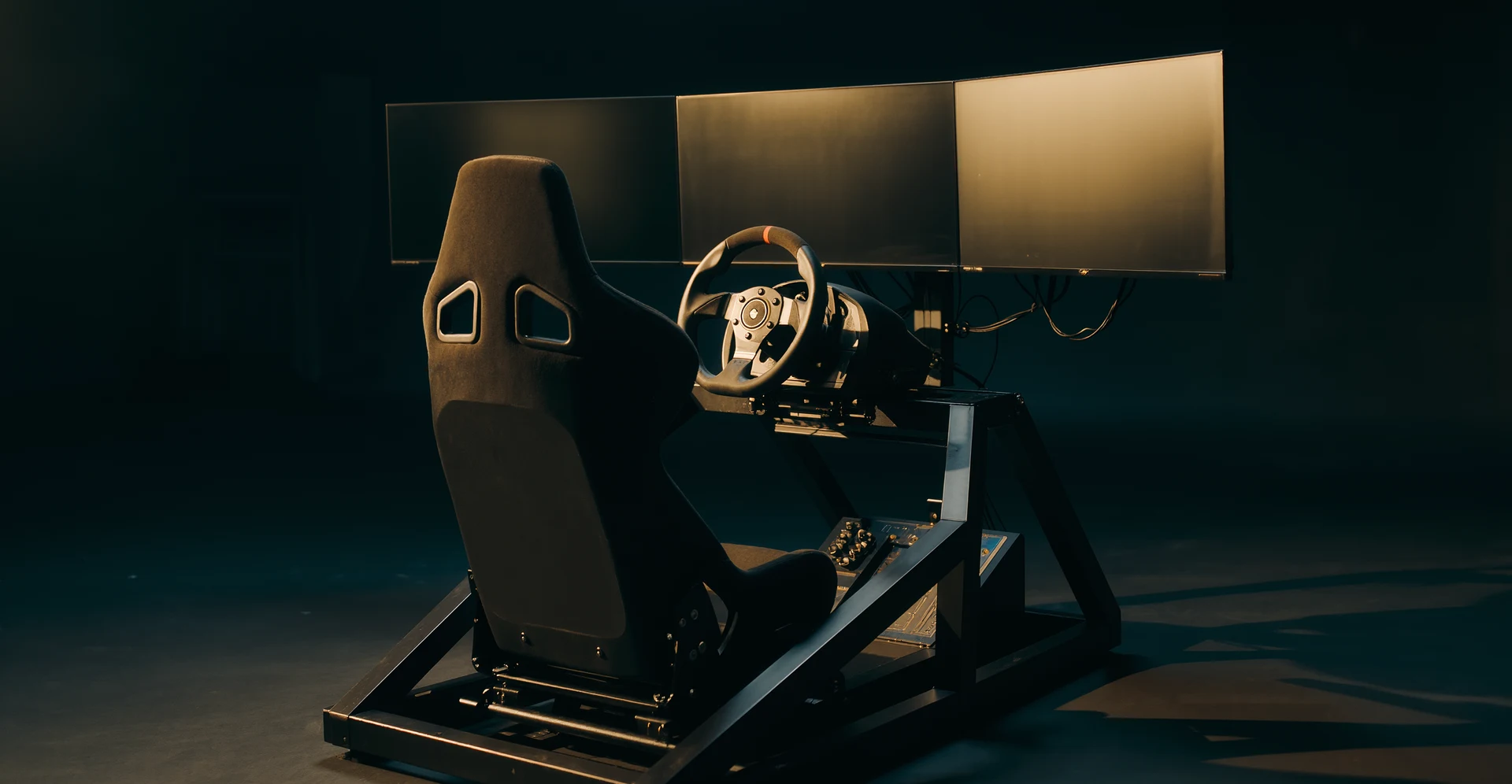
Which accessories improve a sim rig depends on what you want to achieve and where your current setup falls short. This guide covers practical upgrades for immersion, comfort and control, without listing every product on the market.
Getting a more realistic feel from your sim rig isn’t just about graphics. It’s about what you feel and hear.
Haptic Feedback: Feeling the Road (and the Crashes)
Haptic feedback goes beyond the vibrations in your wheel. It’s about feeling the nuances of the track, the engine, and even contact.
Bass Shakers & Transducers
These are among the most accessible haptic upgrades. Bass shakers, like those from Buttkicker or Dayton Audio, attach to your seat or pedal plate and translate low-frequency audio signals into vibrations. This means you’ll feel engine rumbling, gear shifts, road texture, and even impacts directly through your body. It adds a whole new dimension beyond just force feedback in your wheel.
You’ll need a dedicated amplifier for these, and ideally, some software like SimHub to manage the various effects. Setting them up with SimHub allows you to isolate specific telemetry data, like road texture, curb strikes, engine vibrations, or suspension compression, and assign them to different shakers. Imagine feeling the left-front wheel hit a rumble strip on the left side of your seat, while the engine hums through the back. Placement, amplifier power and limits are covered in bass shakers on a rig.
Force Feedback 2.0: Advanced Wheel & Pedal Upgrades
While technically core rig components, certain advancements in force feedback can be considered ‘accessories’ if you’re upgrading from entry-level gear. A direct drive wheel base, for example, offers a far more detailed and powerful force feedback experience than belt or gear-driven wheels. You feel tyre slip, track imperfections and resistance in more detail than belt or gear-driven units usually provide; how much direct drive torque you need helps with the choice. Similarly, load cell pedals provide a more realistic brake feel, where pressure, not travel, dictates braking force, allowing for much finer control and muscle memory development.
Audio: Hearing Every Detail
A good sound setup is often overlooked but crucial for immersion and even competitive edge.
Positional Audio Headsets
Headphones and speakers both work for hearing where rivals are, when the tyres start to squeal and how the engine pitch changes. Headphones keep the sound close to your ears and are the practical choice in a shared home; speakers are more comfortable for some drivers over long sessions. Open-back headphones give a wider soundstage, closed-back models isolate better from outside noise. Choose a fit that stays comfortable for long sessions. More in audio in a sim.
Dedicated Speaker Systems (with Subwoofer)
If you’re not a fan of headsets or want to share the experience, a decent 2.1 speaker system can be great. The subwoofer is key here, as it reinforces low-end sounds that contribute to the sensation of speed and power. While it won’t give you localized haptic feedback like shakers, it still adds a layer of depth to the experience. Ensure your speakers are placed strategically to avoid annoying echo or poor sound staging.
Enhancing Control and Precision
Better input devices aren’t just about feeling good; they’re about being faster and more consistent.
Shifters and Handbrakes: Beyond Paddles
While modern race cars often use paddle shifters, many popular sim titles feature cars that benefit greatly from external shift solutions.
Sequential Shifters
For rally, touring cars, or older GT cars, a standalone sequential shifter offers a much more satisfying and tactile experience than just flicking paddles. These often have a solid, mechanical feel, giving clear feedback on each gear change. Brands like Fanatec, Thrustmaster and Heusinkveld offer robust options; handbrake and sequential shifter choice explains which disciplines need them.
H-Pattern Shifters
If you’re into classic cars, truck sims, or specific road car simulations, an H-pattern shifter adds a lot. It allows for heel-and-toe downshifts and the classic feeling of rowing through gears. Coupled with a clutch pedal, it delivers a deeply engaging experience. Look for shifters with adjustable feel and decent build quality to withstand enthusiastic shifts. Technique is covered in H pattern and clutch.
Hydraulic or Analog Handbrakes
For rally, drifting, or even just tight hairpin turns in circuit racing, a dedicated handbrake offers far more control than a button assignment. Hydraulic handbrakes offer the most realistic feel, mimicking real-world resistance. Analog handbrakes (using hall effect sensors or load cells) provide progressive input, allowing you to feather the brake and adjust slide angles with precision. This is particularly crucial for controlling oversteer in various motorsport disciplines.
Advanced Pedals: Your Connection to the Car
Your pedals are arguably as important, if not more important, than your wheel for consistent lap times.
Load Cell Brake Pedals
If your pedals are not load cell, a load cell brake is worth considering early. Load cell pedals measure the pressure you apply, not how far the pedal travels. Many drivers find pressure easier to repeat than pedal position, so braking becomes more consistent. Many entry-level wheel sets come with basic brake pedals; a standalone load cell brake or a full pedal set with one is a common upgrade. The difference is explained in load cell or potentiometer pedals.
Hydraulic Pedal Sets
Hydraulic pedal sets imitate the fluid resistance of real brake and clutch systems. They are expensive, need a stiff rig and are aimed at drivers who want the closest match to a race car pedal box. See hydraulic brakes in a sim.
Comfort and Ergonomics
Long sessions demand comfort. Discomfort distracts you from the race.
Better Seating: The Foundation of Comfort
Your seat is where you spend all your time. Don’t underestimate its importance.
Dedicated Sim Racing Seat
While a real car seat is a common choice, dedicated sim racing seats are designed for stationary use and often offer better adjustability for a sim rig context. They can be lighter and easier to mount. Look for comfortable padding and supportive bolsters.
Adjustability Features
Beyond the seat itself, consider slide rails, recline mechanisms, and height adjustment for your seat. Being able to fine-tune your seating position in relation to your pedals and wheel is crucial for comfort and consistency. Even minor tweaks can make a big difference over a two-hour endurance race.
Monitor & VR Integration
How you view the track affects immersion and comfort.
Monitor Stand Options
If you’re running multiple monitors, a sturdy triple monitor stand is almost essential. This allows you to position your screens correctly for a wide field of view, making the experience much more immersive. It also cleans up your desk space. Integrated stands mount on the rig itself; with a motion platform a freestanding stand is the better choice, as explained in freestanding monitor stands.
VR Headset Mounts and Cable Management
If you’re using VR, a good cable management system is vital to prevent frustrating tangles and snags. Retractable ceiling mounts for VR cables keep them out of your way, improving freedom of movement and reducing potential wear and tear on the cables. A dedicated VR headset stand also keeps your expensive headset safe and accessible.
Input Customization & Accessibility
Sometimes it’s the little things that make a rig truly your own.
Button Boxes and Stream Decks
Instead of fumbling for keyboard shortcuts, a dedicated button box provides tactile, labelled buttons for common sim functions: pit limiters, traction control adjustments, wiper controls, fuel mapping, and more. A Stream Deck can serve a similar purpose but offers customisable digital displays for each button, allowing for dynamic key assignments and real-time data display. This frees you from the keyboard and keeps your hands on the wheel or shifter. See button box mapping.
Keyboard Trays and Mouse Pads
For adjusting settings between sessions or when navigating menus, a dedicated, adjustable keyboard and mouse tray on your rig is incredibly useful. It keeps these essential peripherals within easy reach without having to leave your driving position. Look for units that can swing away easily when not in use.
Data and Analytics
Beyond just driving, understanding your performance helps you improve.
Telemetry Displays
Real-time data can give you an edge and help you learn faster.
Dashboards and Dedicated Screens
A dedicated USB dashboard display, from a wheel maker such as Fanatec or simply a phone or tablet running SimHub, can show gear, speed, RPM, lap times, fuel and tyre temperatures at a glance. This keeps your main screen clear for the track ahead, as in a modern race car. Setting one up without clutter is covered in dashboards and telemetry overlays.
Software for Data Analysis
While not a physical accessory, software like MoTeC i2 Pro, VRS Telemetry or the built-in telemetry tools in many sims helps you improve; reading telemetry shows where to start. Analyzing your lap data, corner speeds, braking points, and inputs against hot laps can reveal significant areas for improvement. Paired with a good display, it’s a powerful learning tool.
Integrated Timers and Indicators
Small, dedicated displays can offer crucial information without being distracting.
Shift Lights and RPM Indicators
Many wheels come with integrated shift lights, but standalone RGB LED arrays can be mounted strategically around your display. These provide clear, peripheral vision cues for optimal shift points, allowing you to focus on the track without constantly checking your RPM gauge.
Spotter and Flag Displays
Small, dedicated LED displays can be programmed (via SimHub, for instance) to show specific flags (yellow, blue), spotter calls (car left/right), or even low fuel warnings. This provides quick, unmistakable visual cues that enhance safety and awareness in crowded online races.
Practical Considerations and Setup Tips
Getting the most out of your accessories also involves how you put them all together.
Cable Management: Taming the Spaghetti
A clean setup isn’t just for aesthetics; it’s also about reliability and safety.
Velcro Ties and Cable Sleeves
As you add more accessories, the number of cables explodes. Velcro ties, zip ties and braided cable sleeves are the basic tools. Bundle cables neatly along the chassis of your rig, out of the way of your feet and pedals. This prevents snags and accidental disconnections and looks much tidier. More in cable management that survives a motion platform.
USB Hubs (Powered)
With numerous USB devices (wheel, pedals, shifters, button boxes, bass shakers, displays), you’ll quickly run out of ports. A powered USB hub is essential. Powered hubs have their own power supply, ensuring enough juice for all your connected devices, preventing dropouts or flaky input signals. Placing it where all your device cables converge also helps with management. Why underpowered USB causes random disconnects is explained in USB power issues.
Power Management: Keeping Everything Running Smoothly
More accessories mean more power draw.
Surge Protectors and UPS
Invest in a quality surge protector, especially if you have expensive electronics. For more protection and to avoid losing progress during a power flicker, consider an uninterruptible power supply (UPS) for your PC and critical sim components. This gives you a few minutes to save your race or shut down gracefully.
Dedicated Power Strips
Group accessories that can be switched on/off together onto a single power strip. This makes it easier to power up and shut down your whole rig without fumbling for individual switches under your desk.
The right accessories are the ones that fix what limits you now. Start with what bothers you most, whether that is feel, consistency or comfort, and add the next item only when that problem is solved.
FAQs
What are sim rig accessories?
Sim rig accessories are additional components or add-ons that can be used to enhance the overall experience of a sim racing rig. These accessories can include items such as racing seats, pedal sets, shifters, handbrakes, and motion platforms.What are the benefits of using sim rig accessories?
Sim rig accessories can provide a more immersive and realistic experience for sim racing enthusiasts. They can also improve the comfort, performance, and functionality of the sim rig, allowing for a more enjoyable and competitive racing experience.What types of sim rig accessories are available?
There is a wide range of sim rig accessories available, including racing seats, pedal sets, shifters, handbrakes, motion platforms, monitor stands, steering wheel stands, and virtual reality (VR) equipment. These accessories can be customized and combined to create a personalized sim racing setup.How do sim rig accessories enhance the sim racing experience?
Sim rig accessories can enhance the sim racing experience by providing a more realistic and immersive environment. They can also improve the performance and control of the sim rig, allowing for more precise and responsive driving. Additionally, certain accessories, such as motion platforms and VR equipment, can further enhance the sense of realism and immersion.Where can I purchase sim rig accessories?
Sim rig accessories can be purchased from various retailers, both online and in-store. There are specialized sim racing equipment stores that offer a wide selection of accessories, as well as general retailers that carry sim rig accessories. Additionally, many accessories can also be purchased directly from the manufacturers’ websites.What do bass shakers add to a sim rig?
Which shifter should you choose for your sim rig?
Why are load cell brake pedals recommended?
More from Equipment & Gear
Sim Racing PC Build Guide: CPU, GPU and Settings for 2026
Building a PC for sim racing in 2026: why the CPU matters, which graphics card suits one screen, triples or VR, and which Windows settings are…
Sim Racing VR vs Triple Monitors: Headsets, Screens and Cost
VR or triple monitors for sim racing: Meta Quest 3, Pimax Crystal Light and Bigscreen Beyond 2 against triple 1440p screens on view, depth,…
Sim Racing Motion Platforms: Seat Movers, Chassis and Haptics
Seat movers, chassis movers and bass shakers compared: how motion cueing works, what D-BOX, PT Actuator and Sigma offer, and how to tune it.